Kafka Capacity Planning: Partitions and Throughput
On this page
Why Kafka capacity planning matters
Two Kafka decisions are expensive to change later: the partition count of a keyed topic (changing it remaps keys, Day 14) and the cluster's disk capacity (running out of disk takes brokers offline). Both can be estimated in ten minutes with a few measurements.
Step 1: how many partitions from throughput
Measure, don't guess: run your producer and consumer against a test topic and see what one partition sustains for each. Kafka ships performance tools:
bin/kafka-producer-perf-test.sh --topic perf --num-records 1000000 --record-size 1000 \
  --throughput -1 --producer-props bootstrap.servers=kafka:9092 acks=all
bin/kafka-consumer-perf-test.sh --bootstrap-server kafka:9092 --topic perf --messages 1000000
Your consumer usually limits per-partition throughput, because it does real work (database writes, API calls). Then:
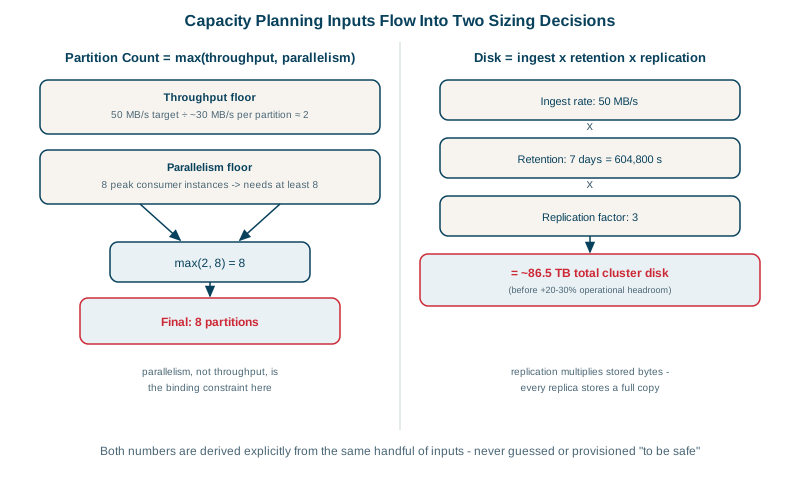
target peak                      50 MB/s
producer per partition (tested)  25 MB/s   -> 50 / 25 = 2 partitions
consumer per partition (tested)   5 MB/s   -> 50 / 5  = 10 partitions
needed now                       max(2, 10) = 10
headroom for 2-3x growth         24 partitions
Take the larger of the two numbers, not the sum, then add headroom. Also check the maximum number of consumers you'll want in one group: partitions cap it (Day 6).
Step 2: disk size from retention
write rate            50 MB/s average (use average, not peak, for storage)
retention             7 days = 604,800 s
replication factor    3
raw storage           50 MB/s x 604,800 s       ~ 30 TB
with replication      30 TB x 3                 ~ 91 TB
headroom (~30-40%)    ~ 125-130 TB across the cluster
Compression (Day 5) can cut this substantially; measure your real compressed size. Compacted topics (Day 10) are sized by the number of keys times record size, not by rate.
Step 3: how many brokers
Divide total storage and network traffic by what one broker can handle, keeping each broker well below its limits so it can absorb a failed peer's load. Network is easy to forget: each byte written is sent to two followers, and read by every consumer group. With replication factor 3 and two consumer groups, 50 MB/s in becomes roughly 100 MB/s of replication traffic and 100 MB/s of consumer reads across the cluster.
The over-partitioning trap
"More partitions, just in case" has costs: more open files and memory per broker, more metadata, longer leader elections and recovery after failures, and smaller batches per partition, which hurts throughput. KRaft clusters handle far more partitions than ZooKeeper-based ones did, but each still costs something. Tens to low hundreds per topic is typical; use thousands only with a measured reason.
Kafka tiered storage
Since Kafka 3.9, tiered storage is production-ready: older segments move to object storage (S3, Azure Blob, GCS) while recent data stays on broker disks. Long retention becomes cheap, and brokers recover and rebalance faster because they hold less local data. Enable it per topic with remote.storage.enable=true and set local.retention.ms for how long data stays local. A remote storage plugin for your object store is required.
Check yourself
10 partitions. You need enough partitions for both sides: 60 / 30 = 2 for producing and 60 / 6 = 10 for consuming. Take the larger number, 10, then add headroom for growth and uneven keys.
About 15.6 TB before headroom. Three days is 259,200 seconds, so 20 MB/s × 259,200 s ≈ 5.2 TB of data, and three replicas make about 15.6 TB across the cluster. Add 30 to 50 percent headroom for growth, uneven partitions and recovery.
Every partition costs broker memory, open file handles and metadata, and lengthens recovery and leader elections after a failure. Producers also batch less efficiently across more partitions. Size partitions for real throughput with headroom, not for an imagined maximum.
Older segments move to cheap object storage while recent data stays on broker disks. Long retention then costs object storage rather than broker disks, so brokers can be sized for throughput and recent data.