Security Misconfiguration and Default Credentials
On this page
Why misconfiguration is the easiest way in
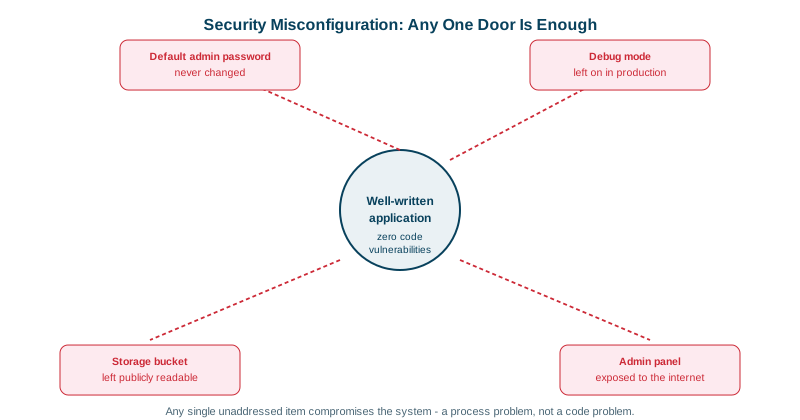
Attackers don't need to find you. Search engines for devices, such as Shodan and Censys, scan the whole IPv4 internet continuously and index what answers on each port, so an exposed database is listed within hours of going online. Attackers simply search those indexes for low-hanging fruit: databases with no password, admin panels with admin/admin, cloud storage left public, debug consoles that run code. OWASP ranks security misconfiguration second in its 2025 Top 10. These aren't coding bugs; they're settings, and they're often introduced in a hurry and never revisited.
Common security misconfigurations
| Misconfiguration | What it exposes |
|---|---|
| Default or shared credentials | Databases, routers, CMS admin, message brokers; often the first thing tried |
| Debug mode in production | Stack traces, environment variables, sometimes an interactive console (Werkzeug's debugger runs Python code) |
| Public cloud storage | S3 buckets or blob containers with customer data |
| Services exposed to the internet | Elasticsearch, Redis, MongoDB, Docker APIs, Kubernetes dashboards without auth |
| Verbose errors | Framework versions, SQL queries, file paths (Day 22) |
| Directory listing | Every file in a folder, including backups like config.php.bak |
| Missing security headers | Easier XSS, clickjacking and downgrade attacks (Day 25) |
| Unused features left on | Sample apps, old API versions, admin endpoints, default accounts |
| Overly broad permissions | IAM roles with *, world-readable files, containers running as root |
Production hardening checklist
[ ] Default credentials changed or accounts disabled on every system
[ ] Debug mode off; generic error pages; detailed errors only in logs
[ ] Admin interfaces reachable only through VPN or an identity-aware proxy
[ ] Databases, caches and queues in private networks, with authentication on
[ ] Cloud storage private by default (account-level Block Public Access on AWS)
[ ] Directory listing disabled; no backup or source files in web roots
[ ] Security headers set (HSTS, CSP, X-Content-Type-Options, frame-ancestors)
[ ] Unused ports, services, sample apps and old API versions removed
[ ] Processes and containers run as non-root with least-privilege roles
[ ] TLS everywhere, with current protocol versions only
[ ] Software and base images patched on a schedule
Preventing misconfiguration with secure defaults and IaC
- Secure defaults in code and templates. A new service generated from your template should start hardened: non-root container, health checks, no debug, headers on.
- Infrastructure as code (see the CI/CD course). Configuration lives in reviewed files, not console clicks, and every environment matches.
- Policy as code and scanners: Checkov, Trivy and tfsec for Terraform and Kubernetes; cloud tools like AWS Config, Security Hub and Azure Defender flag public buckets and open security groups;
kube-benchchecks Kubernetes against CIS benchmarks. - CIS Benchmarks give concrete, tested hardening baselines for operating systems, databases and cloud accounts.
- Drift detection: alert when live configuration diverges from code.
- Inventory: you can't harden what you don't know exists. Scan your own external IP ranges and domains as an attacker would (attack surface management).
- Secrets never as defaults: generate unique credentials per environment and per installation; don't ship a hardcoded admin password.
Check yourself
It can expose stack traces, configuration and environment variables, including secrets, to anyone who triggers an error, and some framework debuggers, such as Werkzeug's, allow running arbitrary code in the browser.
Configuration is reviewed in pull requests, versioned, and identical across environments, and scanners like Checkov or tfsec can catch risky settings, such as public buckets, before they're applied.
Move it into a private network reachable only by the application, with firewall rules or security groups, and enable authentication and TLS on the cluster. Either alone helps, but together they mean one mistake doesn't expose the data.
Default credentials are published in documentation and tried by automated scanners within minutes of a server going online, and sample apps often have known vulnerabilities. Removing them closes easy, well-known ways in.
Debug off, default credentials changed, unused services and ports disabled, security headers set, TLS enforced, and verbose error messages hidden.