Containerized Builds for Reproducible CI
On this page
Why containerize builds
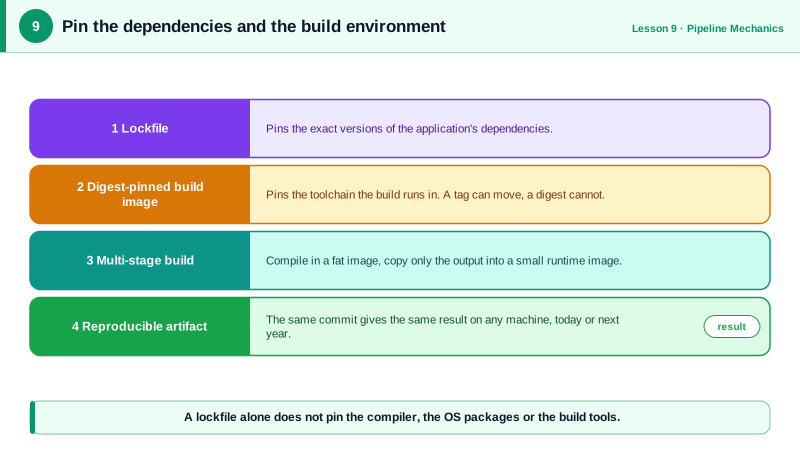
A pipeline that worked for months fails on Monday: the hosted runner image updated its default Go version, or a system library changed. Builds that depend on "whatever's installed" aren't reproducible. Running the build inside a container with pinned tools makes the environment part of the code.
Multi-stage Docker builds
A multi-stage Dockerfile uses one stage with the full toolchain to build, and a minimal final stage that contains only what runs:
# syntax=docker/dockerfile:1
FROM golang:1.27-bookworm AS build
WORKDIR /src
COPY go.mod go.sum ./
RUN go mod download
COPY . .
RUN CGO_ENABLED=0 go build -trimpath -ldflags="-s -w" -o /out/service ./cmd/service

FROM gcr.io/distroless/static-debian12:nonroot
COPY --from=build /out/service /service
USER 65532:65532
ENTRYPOINT ["/service"]- Pinned toolchain:
golang:1.27-bookwormfixes the Go version and OS. For full reproducibility, pin by digest (golang:1.27-bookworm@sha256:...) and let a bot like Renovate or Dependabot propose updates. - Dependency layer first: copying
go.modandgo.sumbefore the source meansgo mod downloadis cached until dependencies change (Day 12). - Static binary (
CGO_ENABLED=0) runs on a distroless image with no shell or package manager: a much smaller image and attack surface. - Numeric non-root user, so Kubernetes can verify
runAsNonRoot.
The same shape for Node:
# syntax=docker/dockerfile:1
FROM node:24-bookworm-slim AS build
WORKDIR /app
COPY package.json package-lock.json ./
RUN --mount=type=cache,target=/root/.npm npm ci
COPY . .
RUN npm run build

FROM node:24-bookworm-slim
WORKDIR /app
ENV NODE_ENV=production
COPY package.json package-lock.json ./
RUN --mount=type=cache,target=/root/.npm npm ci --omit=dev
COPY --from=build /app/dist ./dist
USER 1000:1000
CMD ["node", "dist/server.js"]
Dev dependencies and source files stay in the build stage; the runtime gets production dependencies and the compiled output only. The --mount=type=cache lines keep npm's download cache between builds without adding it to the image.
Linting Dockerfiles with hadolint
hadolint checks Dockerfiles against best practices. Both files above pass cleanly. A typical first draft doesn't:
FROM node:latest
WORKDIR /app
COPY . .
RUN npm install
CMD node server.jsbad.Dockerfile:1 DL3007 warning: Using latest is prone to errors if the image will ever update. Pin the version explicitly to a release tag
bad.Dockerfile:5 DL3025 warning: Use arguments JSON notation for CMD and ENTRYPOINT argumentslatest changes underneath you, and shell-form CMD runs through /bin/sh, so the process doesn't receive stop signals and can't shut down gracefully. That draft also copies everything before installing dependencies (no caching), runs as root, and installs dev dependencies.
Running CI jobs in containers
Beyond building images, you can run whole CI jobs inside a pinned container (container: in GitHub Actions, image: in GitLab CI) or use dev containers, so developers and CI share one toolchain definition. The same idea applies: the environment is declared in the repository, not installed by hand.
Check yourself
Compilers, build tools and dev dependencies live in the earlier stages, and the final stage copies only the built output and runtime dependencies. The image is smaller, faster to pull and has fewer packages for attackers to exploit.
Docker caches each layer until its inputs change. Copying only package.json and the lockfile, then installing, means the slow install layer is reused until dependencies change, so routine code changes rebuild in seconds.
Shell form runs the process under /bin/sh, which doesn't forward SIGTERM, so the app can't shut down gracefully and is killed after the timeout.
If the application is compromised, the attacker gets fewer privileges inside the container and a harder path to the host. Add a USER line in the Dockerfile.
A tag like node:22 can change to a new image at any time. A digest always refers to the exact image you tested, and tools can update it deliberately.