Environment Promotion: Dev, Staging, Production
On this page
What environment promotion means
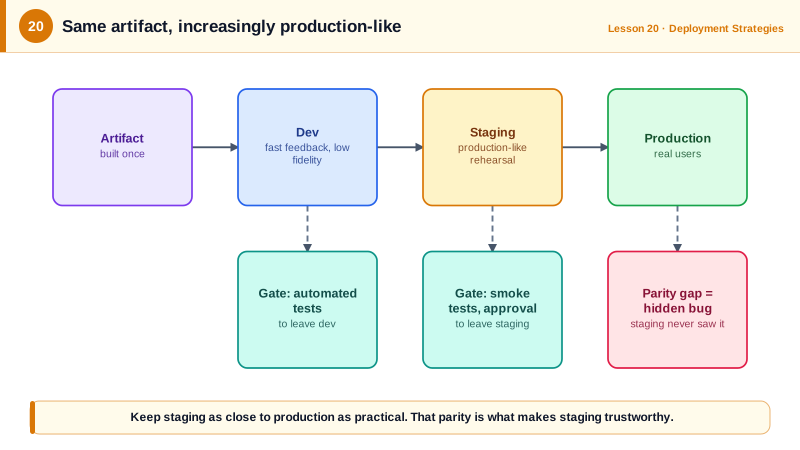
Environments exist so you can find problems before users do. That only works if what you test is what you ship. The rule from Day 5 applies at every step: the artifact never changes between environments; only configuration does.
Dev, preview, staging and production
| Environment | Purpose | Data | Who deploys |
|---|---|---|---|
| Local / dev | Fast iteration | Fake or seeded | Developers, any time |
| Preview (per pull request) | Review a change in isolation | Seeded | CI, automatically |
| Staging | Final check in a production-like setup | Production-like, anonymized | CI after merge |
| Production | Real users | Real | Promotion from staging |
The closer staging is to production (same infrastructure code, same versions, similar data volume), the more its green light means. Differences between them are where "worked in staging" incidents come from.
Per-environment config with Kustomize overlays
Following the twelve-factor app approach, anything that varies by environment lives outside the image: URLs, feature settings, log levels, scaling, and secrets (from a secrets manager, Day 11). With Kustomize, a shared base plus one small overlay per environment:
# overlays/production/kustomization.yaml
apiVersion: kustomize.config.k8s.io/v1beta1
kind: Kustomization
namespace: checkout-production
resources:
  - ../../base
images:
  - name: ghcr.io/acme/checkout-svc
    newTag: 3f9a1c2b7d4e      # the same tag in every environment once promoted
replicas:
  - name: checkout-svc
    count: 6
configMapGenerator:
  - name: checkout-config
    literals:
      - LOG_LEVEL=info
      - PAYMENTS_URL=https://payments.example.com
The staging overlay is the same shape with its own values. Comparing the rendered output of both proves what differs:
diff <(kustomize build overlays/staging) <(kustomize build overlays/production)< LOG_LEVEL: debug
< PAYMENTS_URL: https://payments.sandbox.example.com
> LOG_LEVEL: info
> PAYMENTS_URL: https://payments.example.com
< namespace: checkout-staging
> namespace: checkout-production
< replicas: 2
> replicas: 6(ConfigMap name hashes also differ, which is how Kustomize triggers a rollout when config changes.) The image line doesn't appear in the diff because it's identical. Both renders validate with kubeconform. Helm values files per environment achieve the same thing.
Promotion as a pull request
With GitOps (Day 18), promotion is a change to the production overlay's newTag, ideally opened automatically after staging checks pass:
- Merge to
mainbuilds3f9a1c2b7d4eand updates the staging tag. - Automated tests and a soak period run against staging.
- A bot opens a pull request setting production to the same tag. Approving it is the release decision (continuous delivery), or it merges automatically (continuous deployment, Day 4).
Tools like Kargo and Argo CD Image Updater automate these promotion steps.
Common environment promotion mistakes
- Environment-specific builds (
npm run build:prod) bake config into the artifact, so staging tests a different build. Read config at startup instead. - Long-lived environment branches (
staging,productionbranches that drift) instead of onemainwith overlays. - Manual hotfixes in production that never reach staging or Git.
- A shared staging that's always broken by someone's half-finished work; preview environments per pull request reduce the contention.
Check yourself
Only configuration: endpoints, scaling, log levels, feature flags and secrets. The artifact must be identical, so whatever staging verified is exactly what reaches production.
It produces a different artifact per environment, with different settings baked in at build time, so what staging tested isn't what production runs. Inject environment-specific configuration at runtime instead.
A pull request that sets the production overlay's image tag or digest to the version already verified in staging. Review and merge it, and the agent rolls it out, leaving an audit trail of every promotion.
A short-lived environment per pull request lets reviewers and product owners try changes before merging. Automate creation and cleanup to control cost.
Differences in data size, software versions, configuration or network setup let bugs pass staging and surface only in production. The closer staging is, the more its test results actually tell you.