AWS ALB vs NLB: Elastic Load Balancing Explained
On this page
ALB vs NLB vs Gateway Load Balancer
Clients need one stable name to call, while the servers behind it come and go. Elastic Load Balancing provides that, spread across Availability Zones and scaled by AWS. The first decision is which kind.
| Application Load Balancer (ALB) | Network Load Balancer (NLB) | Gateway Load Balancer (GWLB) | |
|---|---|---|---|
| Layer | 7 (HTTP, HTTPS, gRPC, WebSockets) | 4 (TCP, UDP, TLS) | 3 (IP packets) |
| Routes by | Host, path, headers, query, method | Port and protocol | Sends traffic through appliances |
| Static IPs | No (use its DNS name) | Yes, one per AZ, or your Elastic IPs | n/a |
| Extras | Auth (OIDC, Cognito), WAF, redirects, fixed responses | Very high throughput, preserves client IP, PrivateLink | Firewalls and inspection fleets |
| Use for | Web apps and APIs | Non-HTTP protocols, static IPs, extreme scale | Third-party network appliances |
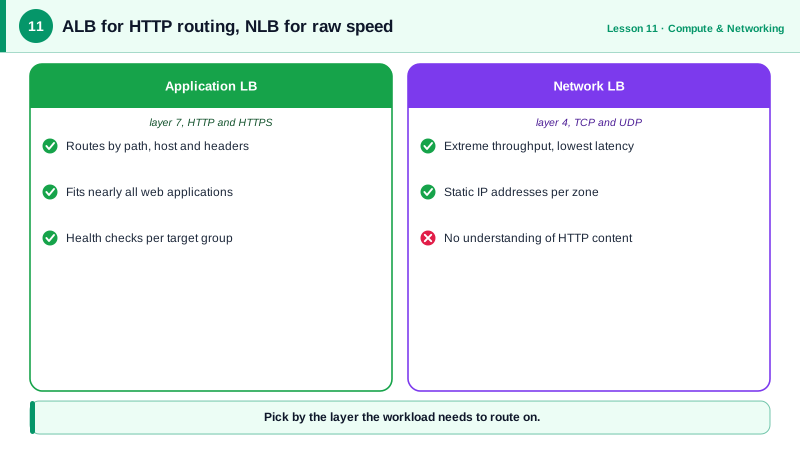
Most web applications want an ALB. Reach for an NLB when you need static IPs for client allowlists, non-HTTP protocols, or to expose a service privately through PrivateLink.
Listeners, rules and target groups
- Listener: a port and protocol the load balancer accepts (
HTTPS:443), with a certificate from ACM (AWS Certificate Manager, free for use on load balancers). - Rules: on an ALB, conditions (path, host, header) mapped to actions (forward, redirect, fixed response), checked by priority, lowest number first. A default action catches everything else.
- Target group: a set of targets (instances, IP addresses, Lambda functions) with a port, protocol and health check.
- An Auto Scaling group or ECS service registers its instances or tasks in a target group automatically.
Path-based routing on an ALB
Send /assets/* to one target group and everything else to the API (run against a local AWS emulator):
API=$(aws elbv2 create-target-group --name api-tg --protocol HTTP --port 8080 \
  --vpc-id $VPC --health-check-path /health --query 'TargetGroups[0].TargetGroupArn' --output text)
ASSETS=$(aws elbv2 create-target-group --name assets-tg --protocol HTTP --port 8081 \
  --vpc-id $VPC --health-check-path / --query 'TargetGroups[0].TargetGroupArn' --output text)

LIS=$(aws elbv2 create-listener --load-balancer-arn $ALB --protocol HTTP --port 80 \
  --default-actions Type=forward,TargetGroupArn=$API --query 'Listeners[0].ListenerArn' --output text)

aws elbv2 create-rule --listener-arn $LIS --priority 10 \
  --conditions Field=path-pattern,Values='/assets/*' \
  --actions Type=forward,TargetGroupArn=$ASSETS
aws elbv2 describe-rules --listener-arn $LIS \
--query 'Rules[].[Priority,Conditions[0].Values[0]||`(default)`]' --output text10 /assets/*
default (default)In production, the port 80 listener would only redirect to HTTPS, and the rules would live on a 443 listener with an ACM certificate.
Load balancer health checks done right
- The target group calls the health check path on each target every interval. A target is marked unhealthy after a few failures, and traffic stops going to it.
- Make
/healthcheap and focused on "can this instance serve requests". Don't check every downstream dependency: if the database is slow, every target fails at once and the load balancer has nobody to send traffic to. (When all targets are unhealthy, an ALB "fails open" and routes to all of them anyway.) - Deregistration delay (connection draining, default 300 seconds) lets in-flight requests finish when a target is removed. Lower it for fast deploys of short requests.
Client IPs, cross-zone balancing and WAF
- The app sees the load balancer's IP as the source. Read the client's address from
X-Forwarded-Foron an ALB; an NLB can preserve the client IP. - Cross-zone load balancing spreads traffic across targets in all AZs; it's on by default for ALBs.
- Attach AWS WAF to an ALB for rate limiting and common attack rules.
Check yourself
A Network Load Balancer, which offers one static IP per Availability Zone, or your own Elastic IPs. ALB IP addresses change as it scales. You can also put an NLB in front of an ALB, or use Global Accelerator for static anycast IPs.
A slow or failing database would mark every target unhealthy at once, and the load balancer would remove all capacity, turning a degraded service into a total outage. Health checks should test whether this instance can serve, not shared dependencies.
It evaluates rules in priority order, lowest number first, and uses the first whose conditions match; the default action handles the rest.
In the X-Forwarded-For header the ALB adds, since connections arrive from the ALB's own addresses. Only trust that header from the load balancer.
The time the target group lets in-flight requests finish on a target being removed before cutting it off. Set it slightly longer than your longest normal request.