AWS EBS vs Instance Store
On this page
EBS vs instance store
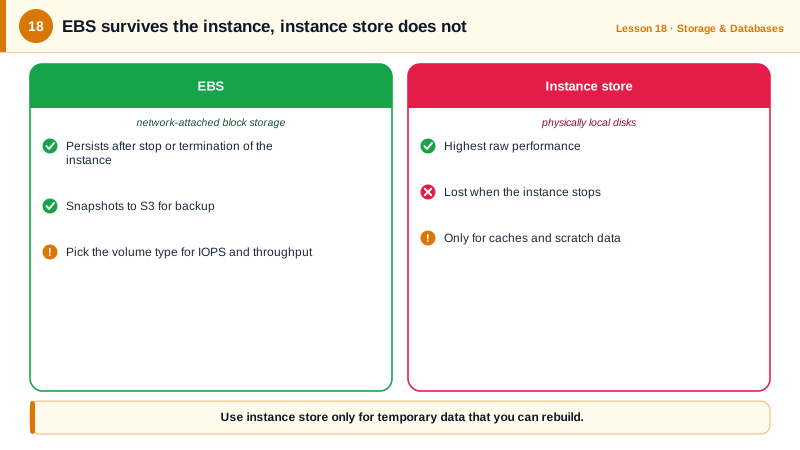
An instance's disks come in two kinds, and confusing them loses data. EBS (Elastic Block Store) volumes live on the network and persist on their own. Instance store disks are physically attached to the host, very fast, and erased when the instance stops, terminates or its host fails.
| EBS | Instance store | |
|---|---|---|
| Persistence | Survives stop, start and termination (if not set to delete) | Lost on stop, termination or host failure |
| Performance | Up to very high IOPS with io2, over the network | Very high, local NVMe |
| Snapshots | Yes, to S3-backed storage | No |
| Resize or change type | Online, with Elastic Volumes | No |
| Available on | Every instance type | Only some types (with d in the name, like m7gd, or i families) |
| Use for | Root disks, databases, anything you need to keep | Caches, scratch space, temporary data, replicated stores |
An EBS volume lives in one Availability Zone and attaches to instances in that zone. Snapshots are the way to move or copy it elsewhere.
EBS volume types: gp3, io2, st1 and sc1
| Type | What it is | Typical use |
|---|---|---|
| gp3 | General purpose SSD. 3,000 IOPS and 125 MB/s baseline at any size; more IOPS and throughput can be provisioned separately | Default for almost everything |
| io2 Block Express | Provisioned IOPS SSD with higher durability and the highest performance | Large, latency-sensitive databases |
| st1 | Throughput-optimized HDD | Big sequential reads: logs, data processing |
| sc1 | Cold HDD | Rarely accessed bulk data |
If you see gp2 volumes, convert them to gp3: gp2 ties IOPS to size, and gp3 is cheaper per GB with independent performance settings. Elastic Volumes does it online.
Provisioning an EBS volume for a database
A PostgreSQL server needs 500 GB with 6,000 IOPS, encrypted (run against a local AWS emulator):
aws ec2 create-volume \
  --availability-zone us-east-1a \
  --size 500 --volume-type gp3 --iops 6000 --throughput 250 \
  --encrypted \
  --tag-specifications 'ResourceType=volume,Tags=[{Key=Name,Value=postgres-data}]' \
--query '[VolumeId,VolumeType,Iops,Encrypted]' --output textvol-a895e40a292950e0f gp3 6000 TrueThen aws ec2 attach-volume --volume-id ... --instance-id ... --device /dev/xvdf, and format and mount it on the instance. On Nitro instances the volume shows up as an NVMe device such as /dev/nvme1n1. Turn on EBS encryption by default per region so nobody forgets --encrypted.
Automating EBS snapshots
Snapshots are point-in-time, incremental backups: only changed blocks are stored after the first. Automate them with Data Lifecycle Manager, targeting volumes by tag. The emulator doesn't implement DLM, so this was validated client-side:
aws dlm create-lifecycle-policy \
  --execution-role-arn arn:aws:iam::123456789012:role/AWSDataLifecycleManagerDefaultRole \
  --description "Daily postgres-data snapshots, 14-day retention" \
  --state ENABLED \
  --policy-details '{
    "ResourceTypes": ["VOLUME"],
    "TargetTags": [{"Key": "Name", "Value": "postgres-data"}],
    "Schedules": [{
      "Name": "daily",
      "CreateRule": {"Interval": 24, "IntervalUnit": "HOURS", "Times": ["03:00"]},
      "RetainRule": {"Count": 14},
      "CopyTags": true
    }]
  }'
AWS Backup does the same across EBS, RDS, DynamoDB, EFS and more, with cross-region and cross-account copies. A snapshot of a running database is crash-consistent, like pulling the power; databases recover from that, but application-consistent backups (flushing first, or using the database's own backup tools) are safer.
Shared file storage: EFS and FSx
EBS attaches to one instance at a time (apart from io2 Multi-Attach for clustered software). For a file system shared by many instances or containers, use EFS (NFS) or FSx (Windows, Lustre, NetApp, OpenZFS).
Check yourself
Instance store disks are physically attached to the host. Their data is lost when the instance stops, terminates or the underlying host fails, so they suit caches, scratch space and replicated data only.
gp3 is about 20 percent cheaper per GB and gives a 3,000 IOPS and 125 MB/s baseline regardless of size, with more performance provisioned separately. gp2 ties IOPS to size, so people overbuy storage just for speed. The change can be made in place without downtime.
EBS volumes live in one AZ. Take a snapshot, which is stored regionally, then create a new volume from that snapshot in the target AZ. Snapshots can also be copied to other regions.
When several instances or containers need the same files at once, since EFS is a shared network file system across AZs, while an EBS volume normally attaches to one instance.
Use Amazon Data Lifecycle Manager or AWS Backup with a schedule and retention policy based on tags, so new volumes are covered automatically.