TCP/IP and OSI Model for System Design
On this page
Why a fast server still feels slow on a phone
Your API answers in 5 ms on the server. A user on a cellular network waits half a second. The server isn't lying, and neither is the user. The difference lives in layers below your code: the round trips that TCP and TLS need before the first byte of your response is sent.
OSI model vs TCP/IP model: the layers that matter
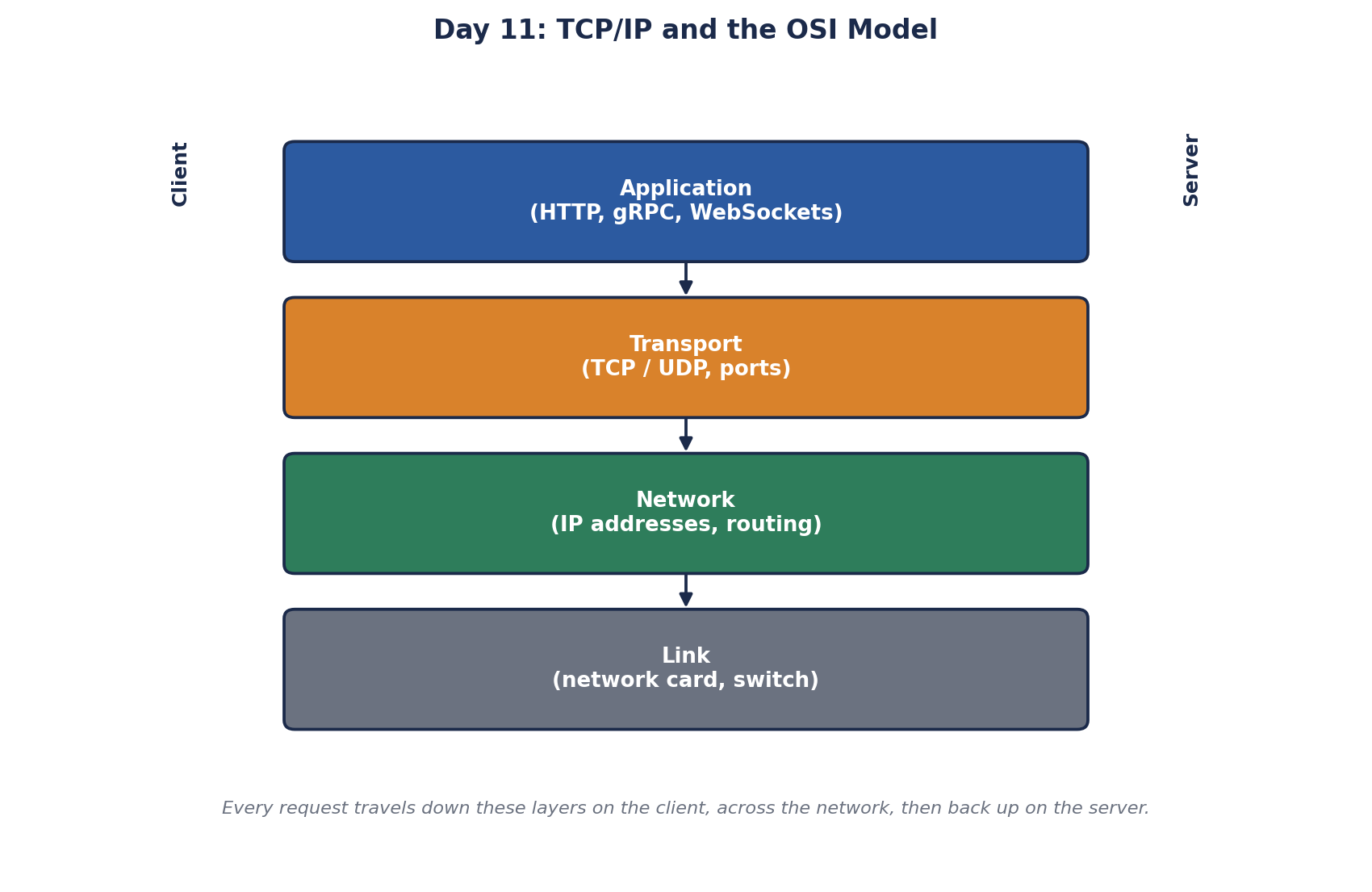
The OSI model has seven layers, from cables to applications. In practice, engineers think in the four-layer TCP/IP model:
| Layer | Examples | What it does |
|---|---|---|
| Application | HTTP, DNS, gRPC | The messages your code sends |
| Transport | TCP, UDP, QUIC | Delivery between two programs, using ports |
| Network | IP | Addressing and routing between machines |
| Link | Ethernet, Wi-Fi | Moving frames across one physical network |
When people say "a layer 4 load balancer" or "layer 7 routing" (Day 19), they mean transport and application in OSI numbering.
How TCP works: handshakes, slow start and head-of-line blocking
TCP gives you a reliable, ordered stream of bytes. Lost packets are resent, duplicates are dropped, and the receiver sees bytes in the order they were sent. Before any data moves, the two sides perform a three-way handshake (SYN, SYN-ACK, ACK), which costs one round trip.
HTTPS adds a TLS handshake on top: one more round trip with TLS 1.3, two with TLS 1.2. Here's a real request from my machine:
curl -s -o /dev/null -w 'dns=%{time_namelookup} connect=%{time_connect} tls=%{time_appconnect} first_byte=%{time_starttransfer}\n' https://www.wikipedia.org/
# dns=0.026 connect=0.059 tls=0.164 first_byte=0.205
DNS took 26 ms, the TCP connection was ready at 59 ms, TLS finished at 164 ms, and the first byte of the page arrived at 205 ms. Nearly 80 percent of the time to first byte was setup. On a cellular network with longer round trips, it's worse.
That's why connection reuse matters so much: keep-alive connections and connection pools pay the handshakes once, then send many requests. It's also why a lost packet hurts: TCP holds back everything after it until the gap is filled. This is called head-of-line blocking. Day 13 shows how HTTP/3 works around it.
A new connection is also slow after the handshake. TCP slow start begins by sending about 10 packets, roughly 14 KB, then doubles each round trip as acknowledgments come back. A 200 KB response on a fresh connection needs several round trips just to ramp up; on a warm connection it goes out much faster.
HttpClient and socket exhaustion in .NET
Creating a new HttpClient() for every outgoing call opens a new TCP connection each time. Closed connections linger in the TIME_WAIT state, so under load the machine runs out of local ports and calls fail with socket errors, even though the remote service is healthy. Microsoft's guidance is to reuse clients: a shared HttpClient or IHttpClientFactory (docs). Behind a cloud NAT gateway, outbound ports often run out even sooner.
TCP vs UDP: when UDP fits better
UDP sends independent datagrams with no handshake, no ordering and no resending. That's right when late data is useless anyway: voice and video calls, game state, DNS queries (one small question, one small answer, retried by the application if lost). QUIC, the transport under HTTP/3, is built on UDP and adds its own reliability per stream.
IP addresses, NAT and ports
At the network layer, every packet carries source and destination IP addresses, and routers forward it hop by hop. NAT (network address translation) lets many private machines share one public address, which is why your laptop's address isn't directly reachable from the internet.
At the transport layer, ports say which program on a machine gets the data: 443 for HTTPS, 5432 for PostgreSQL, 6379 for Redis. One server runs many services because each listens on its own port. Firewall rules and cloud security groups are mostly lists of allowed addresses and ports.
Check yourself
Connection setup: DNS, the TCP handshake and the TLS handshake, each costing round trips on a slow network. Reuse connections, and consider HTTP/3 to reduce handshakes.
TCP for an API or database connection, where every byte must arrive in order. UDP for a video call, where a late packet is useless and resending it would only add delay.
A new HttpClient per request. Each call opens a connection, closed ones sit in TIME_WAIT, and local ports run out. Reuse a shared client or use IHttpClientFactory.
A new TCP connection starts by sending only a small amount of data and grows its window as acknowledgments come back. Short-lived connections never get past the slow phase, so they can't use the available bandwidth. Reusing connections with keep-alive and pooling avoids paying that cost repeatedly.
Network address translation lets many private addresses share one public address by rewriting addresses and ports. Servers behind NAT can't be reached directly from outside without port forwarding or a load balancer, and many outbound connections through one NAT gateway can exhaust its available ports.