Database Replication: Master-Slave vs Master-Master
On this page
The order that "doesn't exist"
A customer places an order and immediately calls support. The agent searches and finds nothing. Thirty seconds later it's there. The support tool reads from a replica that was a couple of seconds behind the primary. Replication worked exactly as configured; nobody had thought about replication lag for that screen.
Why replicate a database?
Replication keeps copies of a database's data on additional servers, for three reasons:
- Failover: if the primary dies, a replica takes over.
- Read scaling: send reads to replicas so the primary handles writes.
- Locality: a replica in another region serves nearby users faster.
Primary-replica (master-slave) replication
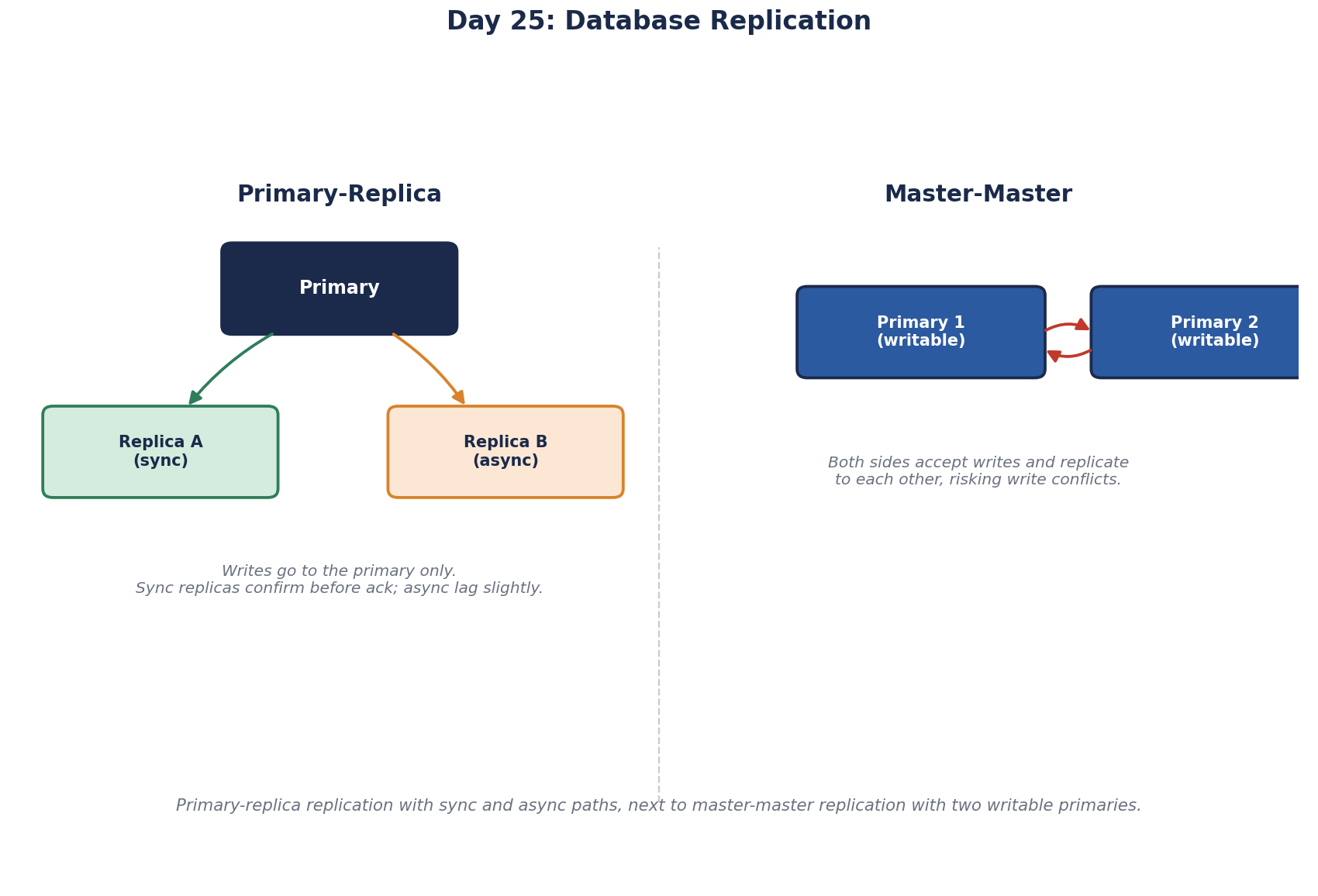
One primary (historically called master) accepts all writes and streams its changes to one or more replicas (historically slaves), which apply them in order and serve reads. It's simple and by far the most common setup: PostgreSQL streaming replication, MySQL replication, SQL Server Always On availability groups.
There are two ways to ship changes. Physical replication copies the database's low-level log, so the replica is an exact byte-for-byte copy of the whole server, on the same major version. Logical replication sends row changes ("insert this row into orders"), so it can copy selected tables, run across versions, and feed other systems. Logical replication is how zero-downtime major upgrades and change data capture (Day 29) usually work.
Synchronous vs asynchronous replication
- Synchronous: the primary waits until a replica confirms before telling the client the write succeeded. No confirmed write is lost on failover, but every write pays the extra round trip, and if the replica is unreachable, writes stall.
- Asynchronous: the primary confirms immediately and ships changes in the background. Fast and resilient, but a failover can lose the last moments of confirmed writes, and replicas lag behind.
This is the CAP trade-off (Day 5) as a configuration setting. A common middle ground: one synchronous replica nearby for safety, more asynchronous replicas for reads and other regions.
Multi-primary (master-master) replication
In multi-primary (master-master) replication, two or more nodes accept writes and replicate to each other. It allows writes in several regions, but introduces write conflicts: two users change the same row on different primaries at the same moment. Something must decide which wins: last write by timestamp (which silently loses a change), merge rules, or application logic (Day 67). Many teams avoid multi-primary for exactly this reason, or partition data so each row has one home primary.
How to handle replication lag
Lag is usually milliseconds, and can jump to seconds or minutes under heavy writes, long transactions or network trouble. Design for it:
- Read your own writes from the primary: after a user changes something, route their reads (or that screen) to the primary for a short time.
- Choose per screen: a reporting dashboard can tolerate minutes; a "your order was placed" page can't.
- Monitor lag (for PostgreSQL, the
replay_lagcolumn inpg_stat_replication) and alert when it grows, and take lagging replicas out of the read pool.
In the support-tool example, the fix is simply to read recent orders from the primary, or to fall back to the primary when the replica returns nothing.
Two operational traps. In PostgreSQL, a replication slot makes the primary keep log files until that replica has consumed them. If the replica dies and nobody removes its slot, the primary keeps every log file and eventually fills its disk, taking down the healthy primary. Alert on slot lag and drop slots for replicas you've retired. And long queries on a replica can conflict with changes arriving from the primary, so PostgreSQL cancels them after max_standby_streaming_delay. Reporting queries that keep getting cancelled are hitting this.
Replicas aren't backups
A DELETE without a WHERE replicates to every copy within seconds. Replication protects against losing a machine, not against mistakes. Keep real backups with point-in-time recovery.
Check yourself
The delay before a replica reflects a write made on the primary. A user saves a setting, the next page reads from a lagging replica, and the old value appears as if the save failed.
Its replication slot still exists, so the primary keeps every log file the dead replica never consumed. Drop the slot and alert on slot lag.
Conflicting writes to the same data on different primaries, which need a resolution rule and can silently lose changes if that rule is last-write-wins.
Every replica must apply every write too, so replicas only spread reads. If the primary is overloaded by writes, adding replicas doesn't help and may add load from replication. Writes need faster queries, batching, partitioning or eventually sharding.
The primary confirms a commit before replicas have it. If the primary fails right after, the promoted replica may be missing the last transactions, which are lost. Synchronous replication closes that gap at the cost of slower commits.