SQL vs NoSQL: How to Choose a Database
On this page
SQL vs NoSQL: decide per kind of data
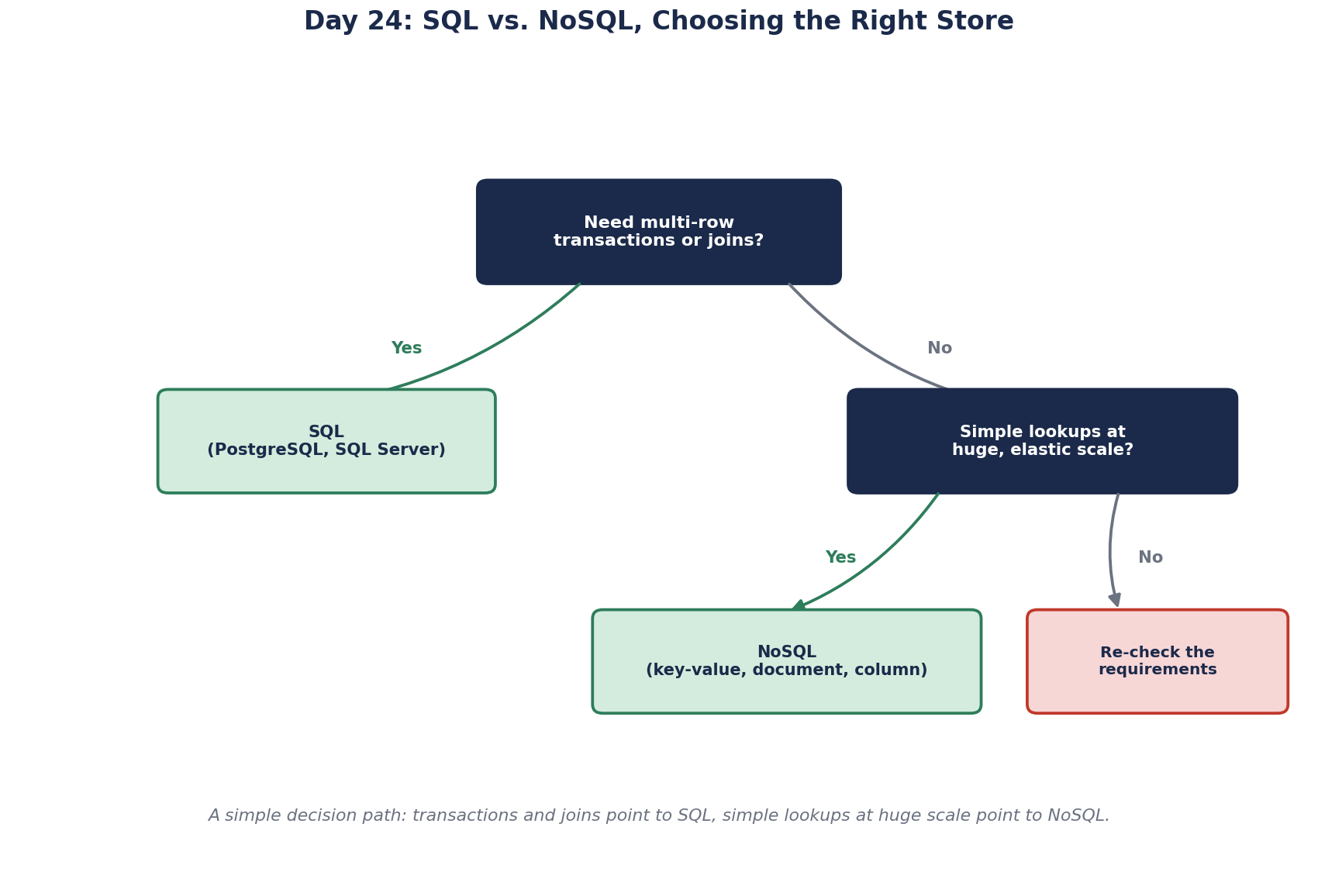
"SQL or NoSQL?" is usually asked about a whole system. It's more useful to ask it about each kind of data in the system, because orders, shopping carts, product reviews and click events behave very differently. Five questions get you most of the way.
Five questions for choosing SQL or NoSQL
1. Must several pieces change together, correctly? Placing an order decrements stock, records payment and creates the order. If any part fails, none should happen. That's a transaction across related data, which relational databases do natively. If yes, lean SQL.
2. How will it be queried? If people will filter by many columns, join entities and run reports you can't predict yet, SQL is far easier. If every read is "get by id" or "get this user's items newest first", a NoSQL store designed for that one pattern can serve it very efficiently.
3. How stale can a read be? A single relational database gives you strong consistency by default. Many NoSQL systems lean toward availability and eventual consistency across replicas (Days 5 and 6). Fine for a like count; not for an account balance.
4. How big and how fast? Relational databases go further than many teams expect: one well-tuned primary with replicas handles thousands of writes a second and terabytes of data. Past that, scaling writes means sharding (Day 26), which is real engineering. Stores like Cassandra and DynamoDB are built to spread writes across many machines from day one.
5. Who will run it? A constraint from Day 1. A managed service (Azure SQL, Amazon RDS, DynamoDB, Cosmos DB) removes patching, backups and failover from your team's work. A self-hosted Cassandra cluster needs people who know Cassandra, awake at 3 a.m. Choose what your team can operate, not only what fits the data.
Worked example: SQL and NoSQL in an e-commerce platform
| Data | Choice | Deciding question |
|---|---|---|
| Orders, payments, inventory | PostgreSQL or SQL Server | Must change together (1), reported on (2) |
| Product catalog | Relational, perhaps with jsonb attributes | Queried many ways (2), moderate size |
| Shopping carts, sessions | Redis or DynamoDB | Read by key constantly, short-lived (2, 4) |
| Reviews | Document store or relational | Read as a unit per product (2) |
| Clickstream events | Wide-column store or a log like Kafka | Huge write volume, append-only (4) |
That's several stores, which brings its own cost: each needs backups, monitoring, upgrades and people who know it. Using several databases this way is called polyglot persistence, and Day 29 covers when it's worth it.
The default for most teams: start relational
If you're unsure, start with a relational database. It handles transactions, flexible queries and moderate scale well, and PostgreSQL's jsonb covers a lot of "we need flexible documents". Add a specialized store when a specific access pattern clearly outgrows it, with a measurement to show it. Moving from a NoSQL store to SQL later, once you discover you needed joins and transactions, is usually harder than the reverse.
Check yourself
Toward SQL. Ad-hoc filters, joins and aggregates across related entities are exactly what relational databases, their query planners and their reporting tools are built for. Most NoSQL stores are designed around known access patterns and make arbitrary cross-entity questions hard or slow.
A key-value store such as Redis or DynamoDB: access is always by key, the volume is high, and expiry is built in.
Operations. Every additional store needs backups, monitoring, upgrades, security patches, capacity planning and people who understand it, and data spread across stores must be kept consistent. A small team can drown in that work, which is why one well-chosen store is often better than several ideal ones.
Whether they need it. 500 writes a second fits one relational database or a managed store, and a self-hosted Cassandra cluster is a lot to operate for three people.
Relational databases handle a wide range of workloads well, give strong consistency and flexible querying, and most teams already know SQL. Modern ones also support JSON, full-text search and partitioning, so you can usually wait to add a specialized store until a real need appears.