System Design: Design a URL Shortener
On this page
The problem: design a URL shortener
Design a URL shortener: users submit a long URL and get a short link; visiting the link redirects. Add click analytics for link owners, custom aliases and expiry. Work through it with the habits from Days 1 to 7 before reading on. (The System Design Interview course has a shorter, interview-focused version; this one goes further into analytics and abuse.)
URL shortener requirements and estimates
Functional: create short links, redirect, custom aliases, expiry, click statistics per link. Non-functional: redirects in under 50 ms at p99 near users; very high availability for redirects; a code never maps to two URLs.
New links      100 per second at peak     ≈ 3 billion per year
Redirects      100× writes                ≈ 10,000 per second, far more for viral links
Storage        3B × 500 bytes             ≈ 1.5 TB per year of link data
Clicks         10,000 events per second   ≈ 860 million click events per day
The click events, not the links, are the biggest data volume. That shapes the design. At about 200 bytes each, 860 million clicks a day is roughly 170 GB of raw events daily, over 60 TB a year, more than 40 times the link data.
Generating short codes, and the data model
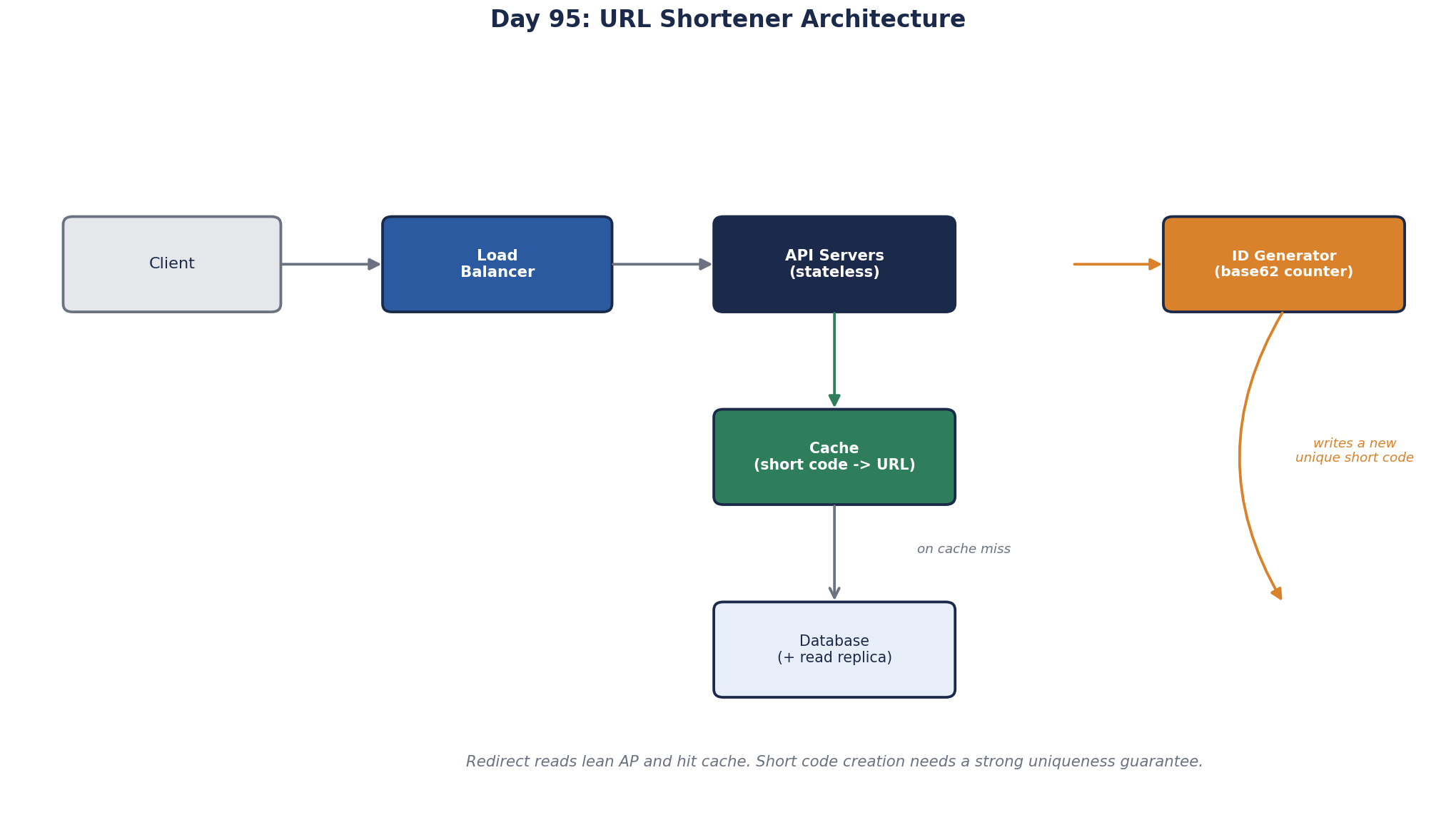
- Codes: a counter encoded in base62, handed out in blocks per server so there's no central bottleneck (Day 10); 7 characters give 3.5 trillion codes. Scramble the number before encoding if sequential codes would let people enumerate links.
- Links table:
code(primary key),long_url,owner_id,created_at,expires_at. Lookups are by key only, so a key-value store or a partitioned relational table both work; partition by code at this size (Day 26). - Custom aliases go into the same table with the same uniqueness constraint.
The redirect path: caching, and 301 vs 302
Redirects are read-only and links never change, so cache aggressively:
- CDN edge caches redirect responses for popular links (Day 35).
- Redis behind the service holds hot codes (Day 33); since codes are immutable, there's nothing to invalidate except expiry and takedowns.
- Database on a miss.
Use 302 if analytics must see every click; 301 lets browsers cache and skip you. A takedown (malicious link) purges the CDN and cache entry for that code.
Two cache details from earlier lessons apply here. Links that expire must not be cached past their expiry, so the CDN's max-age is the smaller of the usual TTL and the time left (Day 10). And requests for codes that don't exist, from typos and bots guessing codes, should get a short-lived cached 404 (Day 34), or every guess reaches the database.
Click analytics without slowing redirects
Never write to a database inside the redirect. The redirect service publishes a click event (code, time, country, referrer, device) to Kafka asynchronously and returns immediately. Stream processors aggregate counts per link per hour into an analytics store; raw events go to a data lake (Day 29). Owners see stats that are a minute or two behind, which is fine.
Filter bots before counting. Link previews in chat apps and email security scanners fetch every link they see, often before a human clicks, and would otherwise inflate every count. Tag known crawler user agents and preview fetches, and count them separately.
Redirects cached at the CDN never reach your service, so those clicks are invisible to it. If owners need exact counts, either keep CDN caching short or ingest the CDN's own request logs into the same pipeline.
Abuse protection and reliability
- Rate-limit link creation per user and IP; scan new URLs against malware and phishing lists, because shorteners are a favorite tool for hiding malicious links.
- Redirect path is stateless, active-active across zones, and leans AP: serving a cached redirect during a database problem is fine.
- Creation path needs the strong uniqueness guarantee, and can briefly fail without affecting redirects.
What a strong URL shortener design includes
- Numbers that reveal clicks as the dominant data volume.
- Collision-free code generation without a single bottleneck.
- Multi-level caching that exploits immutability.
- Analytics moved off the redirect path through a stream, with bots filtered and CDN-served clicks accounted for.
- Abuse prevention and a takedown path.
Check yourself
It would add latency and load to every redirect and tie redirect availability to the analytics store. Publishing an event asynchronously keeps redirects fast.
Mark the link as disabled in the database so no new lookup returns it, delete its entry from Redis, and purge that code's URL from the CDN. All three layers must be cleared, because any one of them could keep serving the redirect. Short CDN cache lifetimes for redirects limit how long a purge failure can last.
Link preview bots and security scanners. Chat apps, email filters and social networks fetch shared URLs to build previews or scan for malware, and each fetch looks like a click. Identify them by user agent, known IP ranges and behavior, and report them separately from human clicks.
A slightly stale cached redirect is harmless, but two links receiving the same code would send users to the wrong destination.