Read Replicas and Connection Pooling for Scale
On this page
Symptom: errors right after scaling out
Traffic grew, so the team scaled the API from 3 to 6 instances. Within minutes, error rates spiked: too many connections. The database CPU was fine. Adding app servers broke the database, and the cause was a number in a config file.
Diagnose: count the database connections
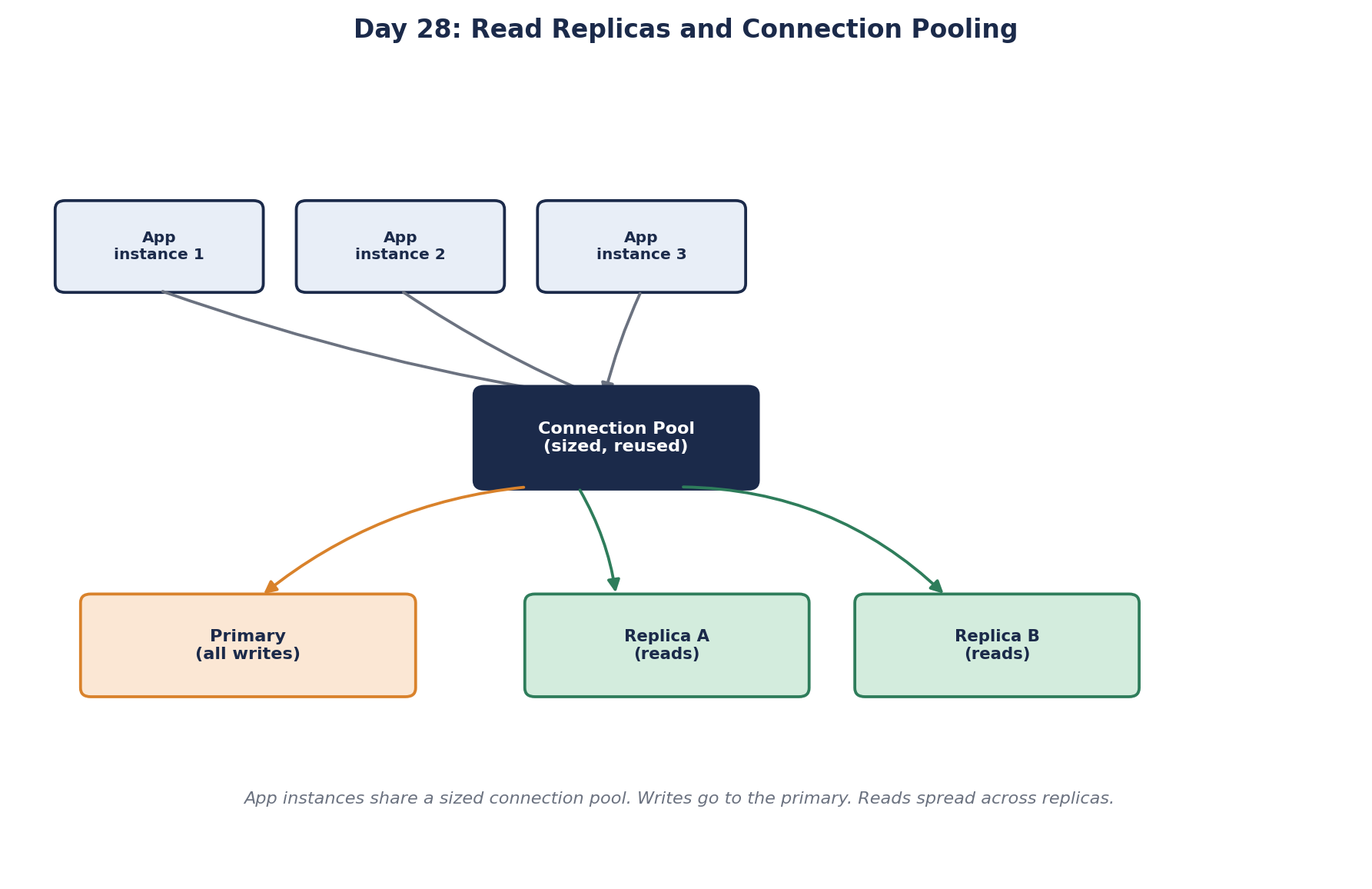
Opening a database connection is expensive: TCP and TLS handshakes, authentication and session setup. So applications keep a connection pool of open connections and reuse them. Each instance has its own pool.
6 instances × pool max 50   = up to 300 connections
database max_connections    = 200
Once traffic made the pools grow, connection attempts beyond 200 were refused. And a database with hundreds of connections often performs worse than one with fewer: each connection uses memory, and many of them compete for the same CPU cores and locks.
Fix 1: size connection pools with Little's Law
Use Little's Law (Day 3). If each instance handles 200 queries per second and a query holds a connection for 50 ms on average:
connections in use ≈ 200/s × 0.05 s = 10 per instanceA pool of 15 to 20 per instance covers bursts. Six instances need about 120 connections, comfortably under the limit. Bigger pools rarely help: if the database is the bottleneck, more connections just queue the work inside the database instead of in the app.
Set a pool wait timeout too, so that when the pool is empty, requests fail fast with a clear error instead of hanging.
The "50 ms" in that formula is how long code holds the connection, not how long the query takes. Code that opens a transaction, then calls a payment API for 800 ms before committing, holds a connection for 800 ms. Pools drain fast that way. Keep slow work, especially network calls, outside transactions and connection scopes.
Fix 2: a connection pooler such as PgBouncer
When you have many instances, serverless functions or many services, put a pooler between them and the database: PgBouncer or RDS Proxy for PostgreSQL, ProxySQL for MySQL. Thousands of client connections are multiplexed onto a small, fixed set of real database connections. Each app keeps a small pool; the pooler protects the database.
PgBouncer's efficient mode, transaction pooling, hands a different server connection to each transaction. Anything that relies on session state breaks: SET commands, session-level advisory locks, LISTEN, temporary tables. Prepared statements were in that list until PgBouncer 1.21 added support for them. Check what your driver and code rely on before switching modes.
On SQL Server, ADO.NET keeps a separate pool for each distinct connection string. Building strings per tenant, per user (with integrated security) or even with keywords in a different order creates many small pools, and the database sees far more connections than you planned (docs).
Fix 3: move reads to read replicas
Most applications read far more than they write. Replicas (Day 25) take that read load:
- Route queries deliberately: writes and read-after-write to the primary, other reads to replicas. Many frameworks and drivers support separate read and write connection strings.
- Send heavy reports to a dedicated replica so they never compete with checkout.
- Watch replication lag and pull lagging replicas out of rotation.
How to scale a database, step by step
- Fix the queries. Missing indexes (Day 22) and N+1 query patterns cause most database load. Cheapest win by far.
- Size pools and add a pooler.
- Cache hot reads (Days 31 and 32).
- Add read replicas.
- Scale up the primary.
- Partition or shard (Day 26), only when writes or data size demand it.
Each step is cheaper and less risky than the next. Teams that jump to sharding often find that steps 1 to 4 would have carried them for years.
Check yourself
Pools can grow to 480 connections, so connections beyond 300 are refused. Shrink per-instance pools based on measured concurrency, or add a pooler such as PgBouncer.
By Little's Law, 300 × 0.02 = 6 connections in use on average. A pool of around 10 to 15 per instance leaves room for bursts and slower queries. Pools sized at 100 "to be safe" mostly create idle connections that count against the database's limit.
If the database is the bottleneck, more connections only add contention inside it. Requests still wait; they just wait in the database instead of the pool.
ADO.NET creates a separate pool per unique connection string, so each tenant gets its own pool. Share fewer strings, or route through fewer databases.