Stateless Services and Horizontal Scaling Patterns
On this page
What makes a service stateless: where state hides
Day 2 said "make the app stateless, then scale out". In practice, state hides in more places than sessions. An instance is stateless when no future request depends on anything stored only on that instance. Check each of these:
| Hidden state | Problem when scaled out | Move it to |
|---|---|---|
| In-memory sessions | Users logged out when routed elsewhere | Redis or the database (Day 37) |
| Uploaded files on local disk | File missing on other instances | Object storage (S3, Azure Blob) |
| In-memory caches that must agree | Instances serve different data | Shared cache, or accept short divergence with a TTL |
| Scheduled jobs in every instance | Job runs N times | Leader election or a job scheduler (Day 63) |
| WebSocket connections | Messages must reach the right instance | A shared message channel (Day 17) |
| Local counters and rate limits | Limits multiplied by instance count | Shared store (Day 72) |
| Generated ids from in-memory counters | Duplicate ids across instances | Database sequences or UUIDs |
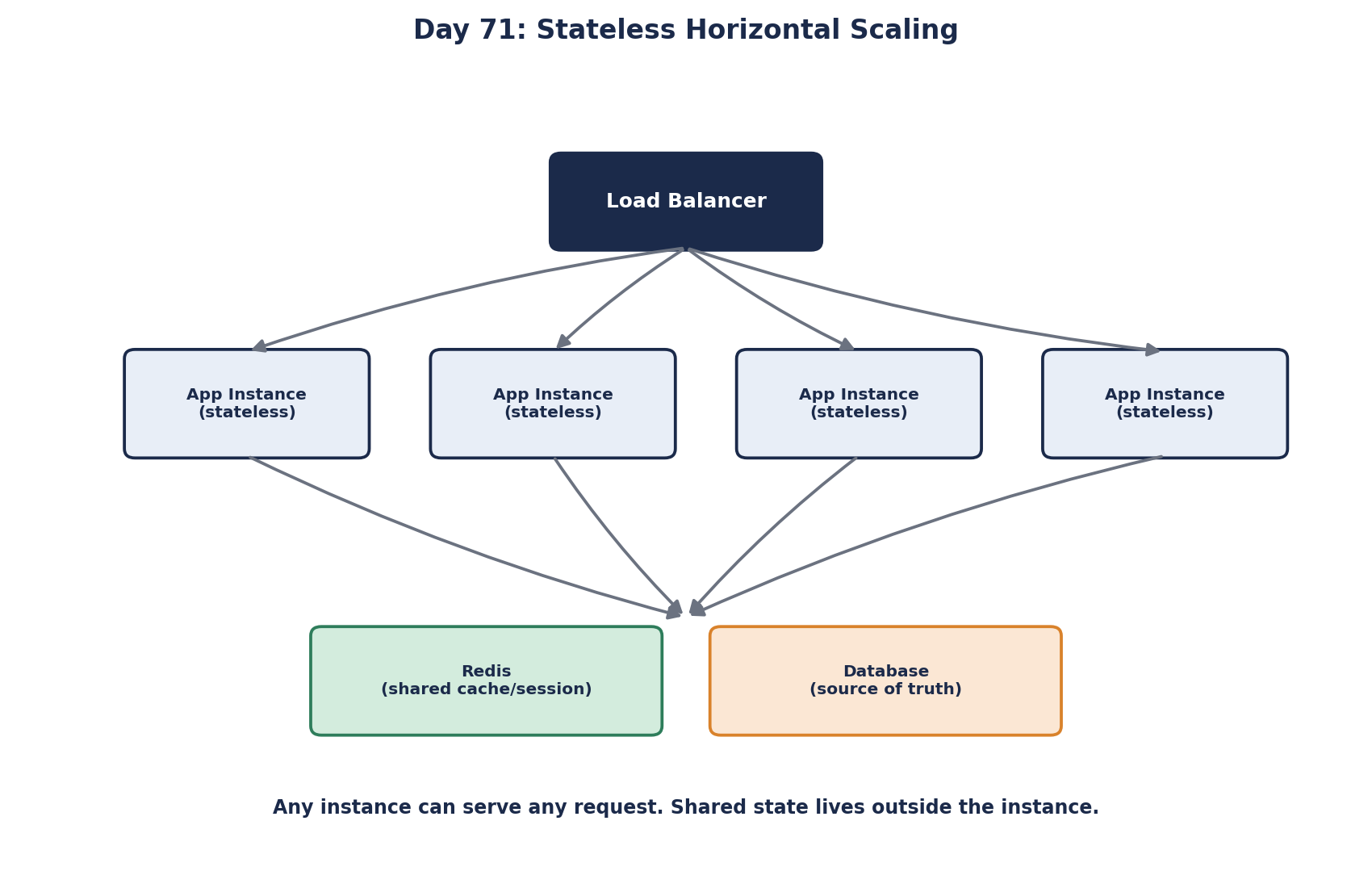
Disposable instances: fast startup and graceful shutdown
A good test: can you kill any instance at any moment, and can a new one start serving within seconds, with no manual steps? If yes, autoscaling, rolling deploys and self-healing all work. Requirements:
- Configuration from the environment, not files edited on the server.
- Fast startup, and a readiness check that reports ready only when it can serve.
- Graceful shutdown: on a stop signal, stop taking new requests, finish in-flight ones, then exit. Kubernetes sends
SIGTERMand waits for a grace period before killing the process. - No local data worth keeping: logs go to a log system (Day 86), files to object storage.
These ideas are summarized well in the "twelve-factor app" guidelines.
Sticky sessions: a trap, not a pattern
Routing a user back to the same instance hides state instead of removing it. Deploys and scale-downs still lose sessions, load spreads unevenly, and a heavy user can pin one instance. Use it only as a temporary step while moving state out.
Autoscaling stateless services
Once instances are disposable, add and remove them automatically:
- Scale on a signal that reflects load: CPU, requests per second per instance, or queue depth for workers.
- Set a minimum above one, for availability, and a maximum that the database can survive.
- Scale out quickly and in slowly, to avoid flapping. Kubernetes' Horizontal Pod Autoscaler waits 5 minutes by default before scaling down for this reason.
Autoscaling reacts after load rises, and a new instance takes time: start the VM or pull the image, start the process, warm caches and JIT-compiled code. If that takes three minutes and traffic doubles in one, users see the gap. For peaks you can predict, such as a 9 a.m. rush or a marketing email, scale up on a schedule beforehand. For .NET services, ReadyToRun or Native AOT builds cut startup time.
Deployment strategies: rolling, blue-green, canary and feature flags
Disposable instances make safe deployment strategies possible:
| Strategy | How | Rollback |
|---|---|---|
| Rolling | Replace instances a few at a time | Roll forward or back the same way; old and new run together briefly |
| Blue-green | Start a full new fleet, switch traffic at the load balancer | Switch back instantly; costs double capacity during the switch |
| Canary | Send a small share of traffic to the new version, widen if healthy | Send the share back to zero (Day 57 shows one) |
| Feature flags | Deploy code switched off, turn it on per user or percentage | Turn the flag off, no deploy needed |
Every strategy except blue-green runs two versions side by side for a while, so changes to APIs, events, caches and database schemas must work with both (Days 32 and 55). That's the real cost of deploying without downtime.
The forgotten tier: the database
Adding app instances multiplies database connections and queries. Before scaling the app tier tenfold, check what it does to the database (Day 28): connection limits, pool sizes, query load. A stateless app tier that scales freely in front of a database that can't is just a faster way to overload the database. Caching (Module 4) and read replicas usually come with app-tier scaling.
Check yourself
Files were saved to one instance's local disk. Other instances don't have them. Store uploads in object storage shared by all instances.
On a shutdown signal the instance stops accepting new requests, usually by failing its readiness check so the load balancer drains it, finishes the requests already in flight, then exits. Without it, every scale-down and deploy cuts off requests halfway, which shows up as errors exactly when the system is changing.
Old and new versions ran together, and the old one still used the old name. Expand first (add the new column, write both), deploy, then remove the old column in a later release.
Each instance adds connections and queries. Cap autoscaling to what the database can handle, size pools, add a pooler, and offload reads with caching or replicas.
Blue-green runs two full environments and switches all traffic from old to new at once, with instant rollback by switching back. Canary sends a small percentage of traffic to the new version first, watches its metrics, then increases gradually. Canary catches problems with less exposure; blue-green is simpler.