Authentication vs Authorization Explained
On this page
Authentication vs authorization: two different questions
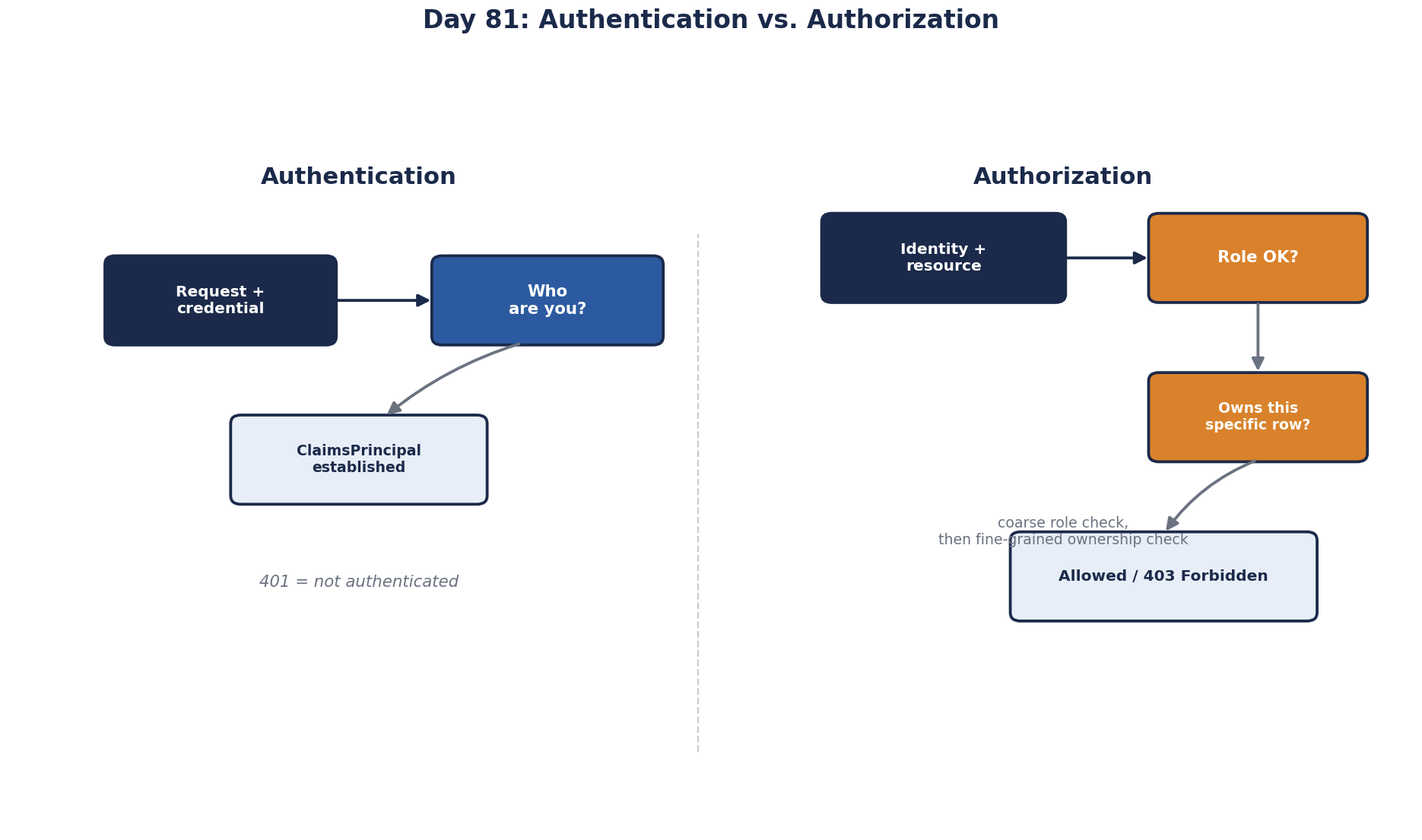
A user logs in and opens /invoices/7781. Two separate questions must be answered:
- Authentication: who is this? Proven with a password and second factor, a passkey, a single sign-on session or a token.
- Authorization: is this person allowed to see invoice 7781?
Many security bugs come from answering the first and assuming the second. "They're logged in, so they can see it" is how one customer ends up reading another customer's invoices.
Where authentication and authorization run
In a typical web framework the order is fixed. In ASP.NET Core:
app.UseAuthentication();   // who is calling? builds the user from a cookie or token
app.UseAuthorization();    // may they reach this endpoint? applies [Authorize] policies
Authentication runs once per request and produces an identity: user id, roles, claims. Authorization runs at several levels:
- Endpoint level: may this user call
GET /invoices/{id}at all? Roles or policies. - Object level: may this user see this invoice? Usually a check in the code or query:
WHERE id = @id AND tenant_id = @userTenant. - Field level: may they see the margin column, or only the total?
Object-level checks are the ones most often missing (Day 83). ASP.NET Core supports them directly with resource-based authorization: load the invoice, then call IAuthorizationService.AuthorizeAsync(User, invoice, "CanView"), so the rule lives in one policy handler instead of a scattered if.
In a multi-tenant app, EF Core global query filters (HasQueryFilter(i => i.TenantId == currentTenant)) add the tenant condition to every query automatically. They're a strong safety net with one known hole: any query using IgnoreQueryFilters() bypasses it, so review those carefully.
401 vs 403: unauthorized vs forbidden
| Status | Meaning | Client should |
|---|---|---|
| 401 Unauthorized | Not authenticated: no valid credentials | Log in or refresh the token |
| 403 Forbidden | Authenticated, but not allowed | Not retry; ask for access |
The name "401 Unauthorized" is a historical misnomer; it means unauthenticated. Some APIs return 404 instead of 403 for objects the caller mustn't know exist, so ids can't be probed.
Authorization models: RBAC, ABAC and ReBAC
- Role-based (RBAC): permissions attach to roles (admin, accountant, viewer), and users get roles. Simple; can explode into dozens of roles.
- Attribute- or policy-based (ABAC): rules over attributes of user, resource and context: "managers can approve expenses under 5,000 EUR in their own department". Flexible; needs discipline to stay understandable.
- Relationship-based (ReBAC): access follows relationships, "editors of this folder can edit documents in it", as in Google Drive. Google's Zanzibar paper describes this model; OpenFGA and SpiceDB implement it.
Keep authorization decisions in one well-tested place per service, such as policies or a policy engine (Open Policy Agent, Cedar), rather than if statements scattered across controllers.
Authorize at every layer, not just the gateway
A gateway can verify the token and coarse permissions. It can't know whether user 42 may read invoice 7781; only the invoice service can. So each service:
- validates the token itself (signature, issuer, audience, expiry),
- enforces object-level authorization on its own data,
- doesn't trust a header like
X-User-Idunless it comes from a verified token.
This is the "never trust, always verify" principle that Day 84 develops.
Authorization in background jobs and consumers
Background jobs and message consumers have no logged-in user, and that's where checks quietly disappear. A consumer processing ExportRequested { project_id: 55 } must still know who asked and for which tenant, and must check that user may export project 55. Carry the acting user and tenant in the message, and authorize in the consumer as you would in a controller. "It came from our own queue" is the castle-and-moat assumption again.
Check yourself
Object-level authorization, called broken object level authorization (BOLA) in the OWASP API Security Top 10. The user was authenticated, so the service knew who they were, but it never checked that invoice 7782 belongs to their company. Every lookup by id must verify ownership, ideally by filtering the query on the caller's tenant.
Return 401 Unauthorized when the caller isn't authenticated: no token, an expired token or an invalid signature, so signing in again may help. Return 403 Forbidden when the caller is authenticated but not allowed to do this, so signing in again won't help. Some APIs return 404 for other tenants' objects to avoid revealing they exist.
Nothing checks who requested it. Carry the requesting user and tenant in the message and authorize in the worker before exporting.
Internal traffic can bypass the gateway or be forged, and only the service can make object-level decisions about its own data.
Role-based access control grants permissions through roles, such as admin or editor. Attribute-based access control decides from attributes of the user, resource and context, such as department or time. Relationship-based access control decides from relationships, such as "is a member of the project that owns this document", as in Google Zanzibar-style systems.