Database Sharding vs Partitioning Explained
On this page
Partitioning vs sharding: when replicas aren't enough
Read replicas (Day 25) spread reads. They don't help writes: every write still goes to one primary. When that primary can't keep up, or the data no longer fits on one machine, you have to split the data itself.
Partitioning splits data into smaller pieces. Vertical partitioning splits by columns, such as moving large, rarely read columns to another table. Horizontal partitioning splits by rows: orders from 2025 in one partition, 2026 in another. PostgreSQL, SQL Server and MySQL all support horizontal partitions inside one server, which helps with maintenance (drop an old partition instead of deleting millions of rows) and with queries that touch only one partition.
Sharding is horizontal partitioning across separate database servers. Each shard holds a subset of rows and handles their reads and writes. That's what scales writes and storage beyond one machine.
Sharding strategies: range, hash and directory
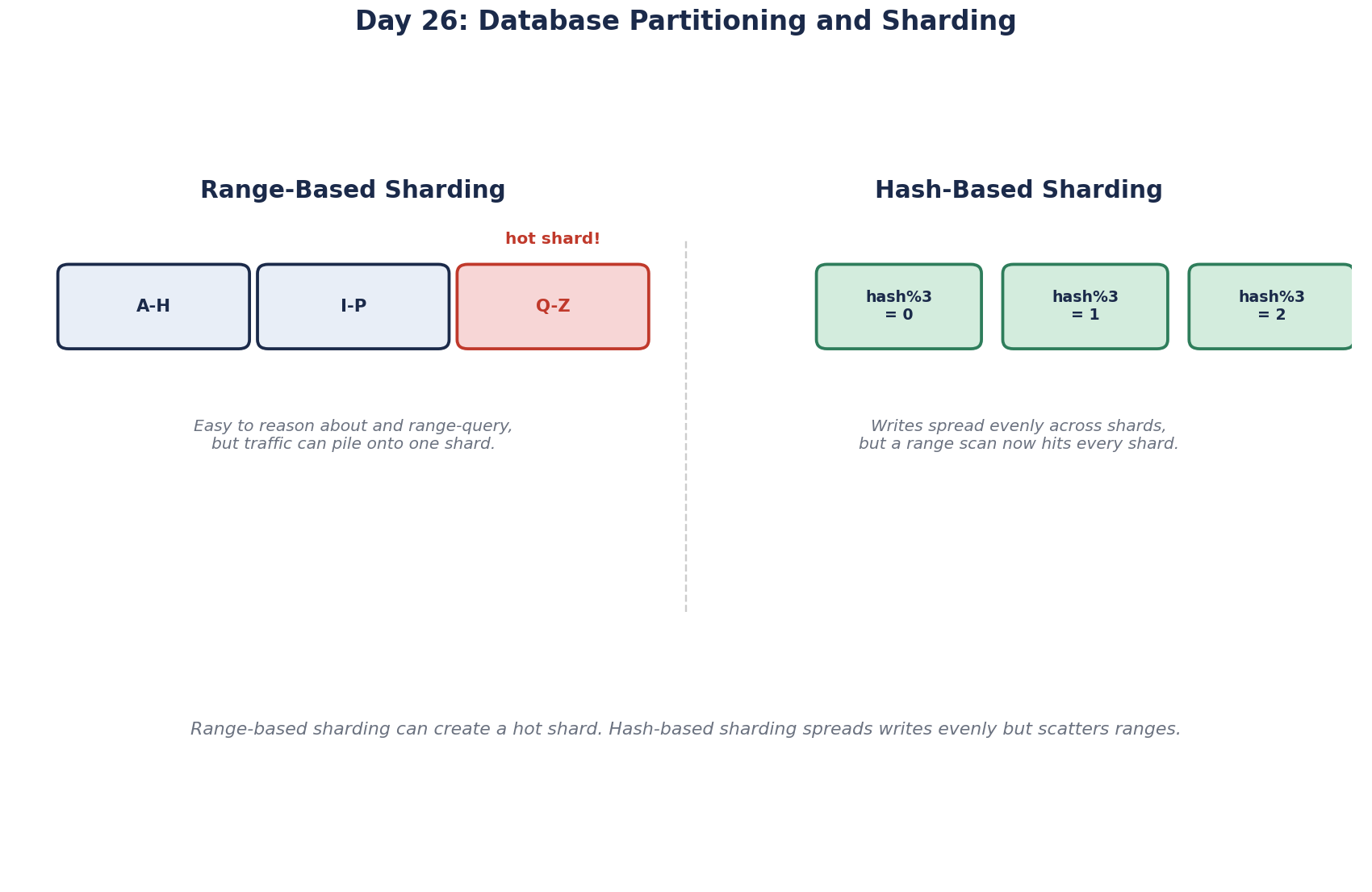
Range: contiguous key ranges per shard, for example customers 1 to 1 million on shard 1. Easy to understand, and range queries stay on one shard. The risk is a hot shard: if keys increase over time, all new writes land on the newest shard while the others sit idle.
Hash: hash the key and use the result to pick a shard. Writes spread evenly. Range queries across keys now touch every shard, and changing the number of shards moves data, unless you use consistent hashing or a fixed number of logical shards (below).
Directory: a lookup table records which shard holds each key or tenant. Maximum flexibility, including moving one big customer to its own shard, at the cost of an extra lookup per request and a directory that must be fast and highly available.
How to choose a shard key
Pick the key that most queries already filter by, so they hit one shard. For a multi-tenant SaaS app, that's usually the tenant or customer id: every query for one merchant goes to one shard, and transactions within a merchant stay local.
The trade-offs follow immediately:
- Cross-shard queries. "Total sales across all merchants" must ask every shard and combine results. Send that kind of question to an analytics warehouse instead (Day 29).
- Cross-shard transactions. A transfer between two customers on different shards can't be one local transaction (Day 27).
- Uneven tenants. One giant merchant can overload its shard. Directory-based placement lets you give it its own.
- Re-sharding is painful. Changing the key later means moving most of your data while it's live.
A common technique to make growth easier: split data into many logical shards, say 4,096, and map them onto a few physical servers. Adding a server means moving some logical shards, not rehashing every row. Instagram described this in 2012: thousands of logical shards on PostgreSQL, with the shard number embedded in every generated id, so any id tells you where its row lives.
Generating unique ids across shards
Auto-increment ids break once you shard: two shards both hand out order 1001. The usual options:
- Random UUIDs (version 4): unique everywhere, no coordination. But they're random, so as a clustered primary key in SQL Server or InnoDB, every insert lands in a random place in the index, causing page splits and fragmentation.
- Time-ordered UUIDs (version 7, RFC 9562): a timestamp first, then randomness. Unique without coordination, and new rows land at the end of the index like an auto-increment.
- Snowflake-style 64-bit ids: a timestamp, a worker or shard number, and a sequence packed into one
bigint. Smaller than a UUID and sortable by time. Instagram's scheme is a variant that embeds the logical shard number.
Pick one before sharding starts. Changing id formats later touches every table and every client.
Sharding tools: don't build it yourself
Sharding by hand means routing logic in the app, schema changes on every shard, and rebalancing tools. Tools handle much of this: Vitess, built at YouTube for MySQL and since used by companies such as Slack, and Citus for PostgreSQL. Distributed SQL databases (CockroachDB, Spanner, YugabyteDB) shard automatically. Shard only after replicas, caching and query tuning are exhausted.
Check yourself
A hot shard. Every new order falls in the current date range, so one shard takes all the writes while the shards holding older ranges sit almost idle. Range sharding suits data that's queried by range but written evenly; for time-based writes, hash on a key like customer id instead.
Anything across all tenants, such as platform-wide revenue, which must query every shard. Run those in a data warehouse fed from the shards.
It makes growing easy. With, say, 1,024 logical shards on 8 servers, adding a server means moving some whole logical shards to it, a simple copy and switch. Without logical shards, adding a server changes the hash mapping for nearly every row and forces a huge, risky reshuffle.
Random GUIDs insert at random positions in the clustered index, causing page splits. Use a time-ordered id, such as UUID version 7 or a Snowflake-style bigint.