GraphQL vs REST in System Design
On this page
GraphQL vs REST: the problem GraphQL solves
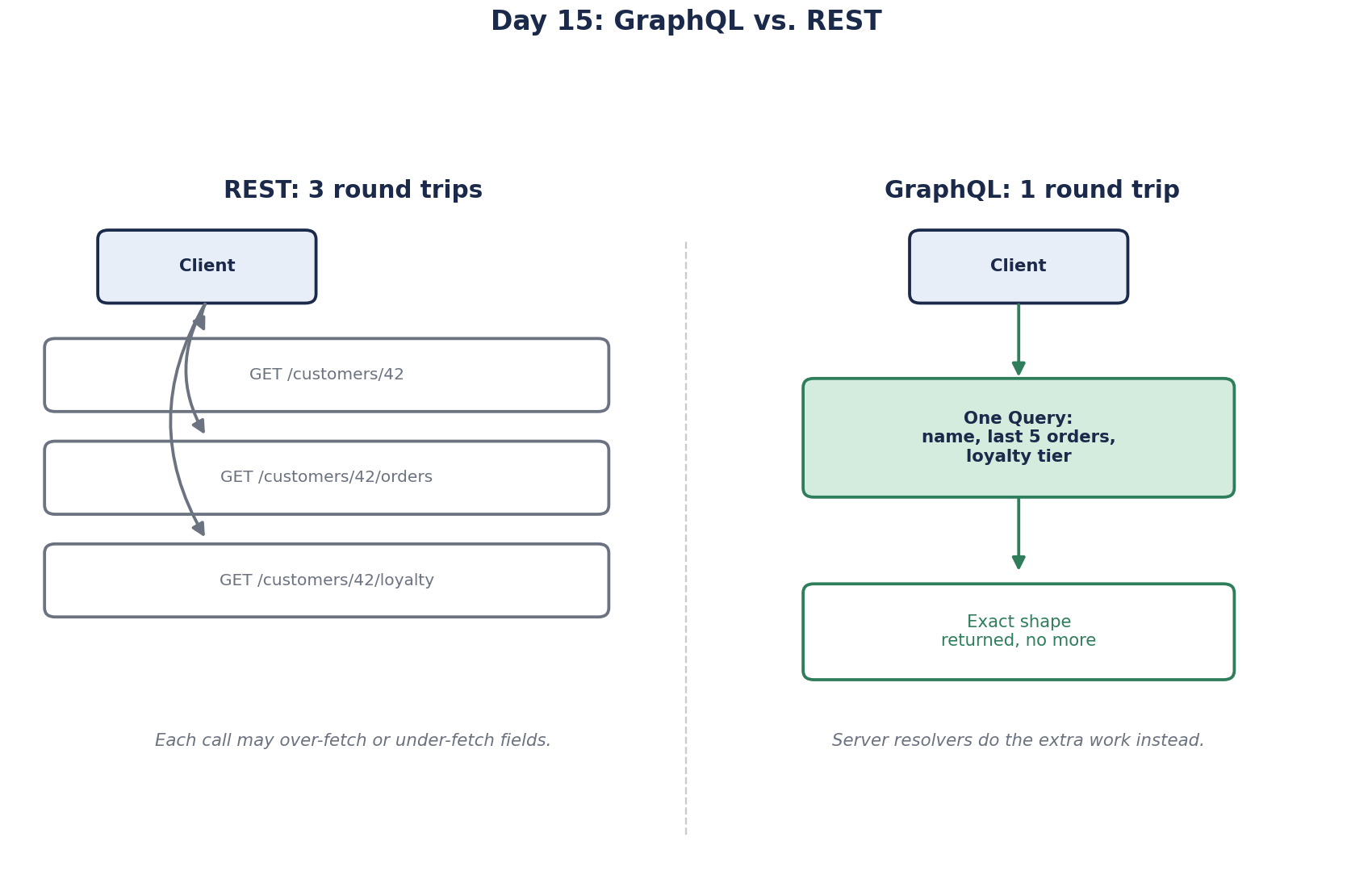
A dashboard needs a customer's name, their last five orders with item counts, and their loyalty tier. With a typical REST API that's three calls: /customers/42, /customers/42/orders?limit=5, /customers/42/loyalty. Each returns more fields than the screen uses. On a mobile network, three round trips plus unused data add up.
That's the problem GraphQL was built for. Facebook created it for its mobile apps, where many screens needed different slices of the same data.
Over-fetching and under-fetching in REST
- Over-fetching: an endpoint returns 40 fields; the screen needs 3.
- Under-fetching: one endpoint doesn't have everything, so the client makes several calls, often one after another.
How a GraphQL query works
The client sends one query describing the exact shape it wants, and gets exactly that back:
query {
  customer(id: 42) {
    name
    loyaltyTier
    orders(last: 5) { id itemCount }
  }
}
One round trip, no unused fields, and the schema documents every type and field. Frontend teams can add a field to a screen without waiting for a new endpoint.
GraphQL drawbacks: N+1, caching, abuse and errors
| REST | GraphQL | |
|---|---|---|
| Response shape | Fixed by the server | Chosen by the client |
| Round trips for nested data | Often several | One |
| HTTP caching | Works naturally on GET URLs | Harder: usually one POST endpoint |
| Server complexity | Simple handlers | Resolvers, batching, query limits |
| Cost of one request | Predictable per endpoint | Varies with the query |
The N+1 problem. Each field is filled by a resolver function. A naive server runs one query for the customer, then one per order for its items: 1 + N queries. The standard fix is batching per request, for example with the DataLoader pattern, which collects all the order ids and loads them in one query.
Caching. A CDN can cache GET /products/42 by URL. GraphQL usually sends queries as POST to one URL, so HTTP caches don't help. Teams use persisted queries (pre-registered queries called by id, often over GET) and caching inside the server or client instead.
Abuse. A client can request deeply nested data that costs the server enormous work in one request. Limit query depth, assign each field a cost and cap the total, and paginate every list. For public APIs, many teams accept only persisted queries.
Authorization. A REST endpoint has one place to check permissions. In GraphQL, a client can reach the same object through many paths, such as order.customer.orders, so checks must run where each object is resolved, not only on the top-level query. One missed nested field exposes other users' data (Day 83).
Errors. GraphQL servers usually return 200 OK even when a query fails, with the problem in an errors array. Dashboards that count status codes report success. Log and alert on the errors field.
When to use GraphQL vs REST
- REST for simple, resource-shaped operations, public APIs where cacheability matters, and file uploads and downloads.
- GraphQL for client-facing APIs where many screens need different combinations of related data, especially across several backend services.
- Both is common. GitHub runs a GraphQL API next to its long-standing REST API; callers pick whichever fits their task.
In .NET, Hot Chocolate is the most widely used GraphQL server, with DataLoader batching and cost limits built in. Turn them on from the first release.
Check yourself
GraphQL usually returns 200 with failures in an errors array, so status-code metrics see success. Track and alert on the errors field.
The N+1 problem: one query for the list, then one per order from a field resolver. Batch the lookups per request with a DataLoader-style loader.
Queries usually go as POST bodies to a single URL, so caches keyed on URLs can't tell queries apart. Persisted queries over GET help restore it.
When many different clients need different slices of a rich, connected data model, and the team can invest in schema design, query cost limits and batching. Mobile apps that want to minimize round trips and payload size are a classic case.
Limit query depth and complexity, set timeouts, and for known clients accept only persisted queries whose shapes you've approved. Without limits, one deeply nested query can fan out into thousands of database calls.