How a CDN Works: Edge Caching Explained
On this page
Why CDNs matter: distance and latency
A user in Sydney loads your site from a server in Virginia. Every round trip crosses the Pacific: around 200 ms before anything useful happens, multiplied by every handshake and every file. A content delivery network (CDN) puts copies of your content on servers in dozens or hundreds of cities, called points of presence (PoPs) or edge locations, so the Sydney user is served from Sydney.
How a CDN routes users to the nearest edge
CDNs route users with:
- DNS-based routing: your domain's DNS answer depends on where the user's resolver is, pointing them at a nearby PoP (Day 12).
- Anycast: the same IP address is announced from many locations, and internet routing delivers each user's packets to the nearest one.
Origin pull and origin shield
Most CDNs work on origin pull: the first request for a file at an edge misses, the edge fetches it from your origin server, stores it, and serves everyone nearby from that copy until it expires. Your Cache-Control headers tell the CDN how long it may keep each response.
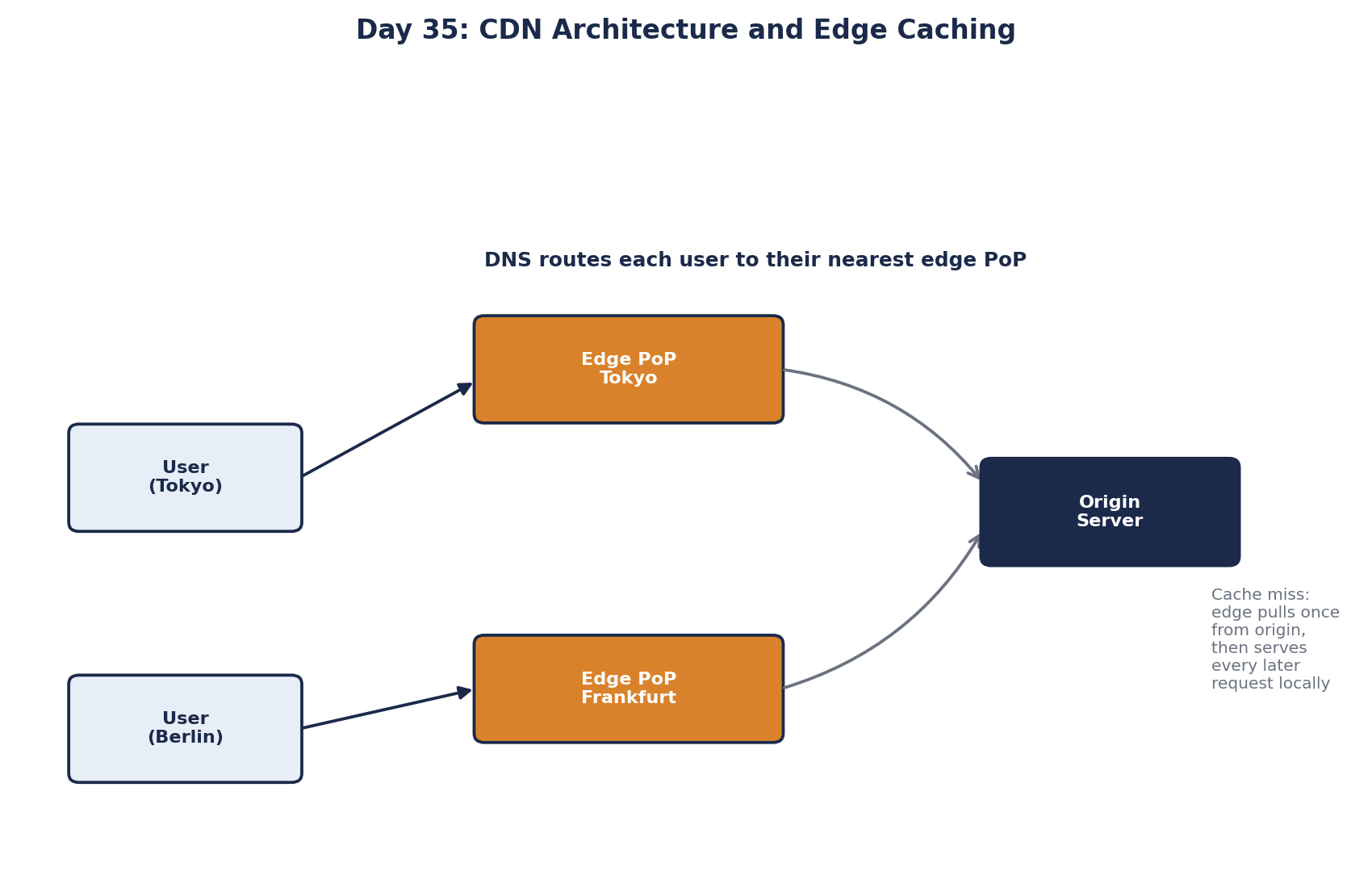
Some CDNs add an intermediate origin shield layer, so a miss in 50 edge cities results in one request to your origin, not 50.
What to cache at the CDN edge
| Content | At the CDN? | How |
|---|---|---|
| JS, CSS, images, fonts with versioned filenames | Yes | Cache for a year; a new build gets new filenames |
| Video segments | Yes | Long TTLs; the heaviest traffic of all |
| Public API responses (product list, prices) | Often | Short TTLs, seconds to minutes |
| HTML entry page | Carefully | Revalidate on each load, so new deploys are picked up |
| Logged-in pages, carts, account data | No | Cache-Control: private or no-store |
Modern CDNs also run small pieces of code at the edge (Cloudflare Workers, Lambda@Edge, Fastly Compute): redirects, header logic, A/B test assignment, authentication checks, without a trip to the origin.
How CDN caching leaks private data
If a response that depends on who's logged in gets cached at a shared edge, the next user in that city receives the first user's page. On Christmas Day 2015, a caching configuration change during an attack on Steam showed about 34,000 users pages containing other users' account details (PCWorld). Prevent it:
- Mark personalized responses
Cache-Control: privateorno-store. - Configure the CDN to bypass caching when a session cookie or
Authorizationheader is present. - Never vary cached content on headers the CDN doesn't include in its cache key.
A related attack, web cache deception, tricks the CDN instead of you. Many CDNs cache anything ending in .css or .jpg. If your app serves /account/settings/x.css by ignoring the suffix and returning the account page, an attacker sends a victim that link, the CDN caches the victim's page as a "stylesheet", and the attacker fetches it. Return 404 for paths your app doesn't define, and cache by explicit rules rather than file extension.
CDN cache purging
When content must change before it expires, CDNs offer purge APIs: by URL, by tag, or everything. Purges take seconds to reach all edges. For static files, versioned filenames avoid purging entirely: a new file has a new URL.
Netflix took the CDN idea furthest with Open Connect, placing its own caching servers inside internet providers' networks so most video never crosses the wider internet.
Check yourself
Most of the latency is network distance and handshakes. Serving from a nearby edge removes long round trips no matter how fast the origin is.
Send a victim /profile/a.png. The CDN caches the victim's profile page under that URL, and the attacker requests it. Reject unknown paths and don't cache by extension alone.
A personalized response was cached at the shared CDN layer. Mark such responses private or no-store and bypass the cache for authenticated requests.
Each build produces files with a content hash in their names, like app.3f9a2c.js, so changed content gets a new URL. Pages reference the new names, and browsers and CDNs fetch them fresh, while the old files can stay cached forever because nothing requests them anymore.
It adds one CDN layer between the edge locations and your origin, so when many edges miss at once they ask the shield, not your servers. That collapses many origin requests into one per object and protects the origin during traffic spikes or purges.