Encryption at Rest vs in Transit
On this page
Encryption at rest vs in transit: two different attackers
Encryption protects against specific threats, so start with who you're defending against:
- In transit: someone who can see network traffic, such as on public Wi-Fi, through a compromised router, inside a cloud provider's network or behind a misconfigured load balancer. TLS protects against them.
- At rest: someone who gets the stored bytes, such as a stolen disk, a leaked backup file or a snapshot shared by mistake. Encryption at rest protects against them.
Neither protects against an attacker who has your application's credentials. The application decrypts data for anyone it lets in, so authorization (Days 81 and 83) still matters most.
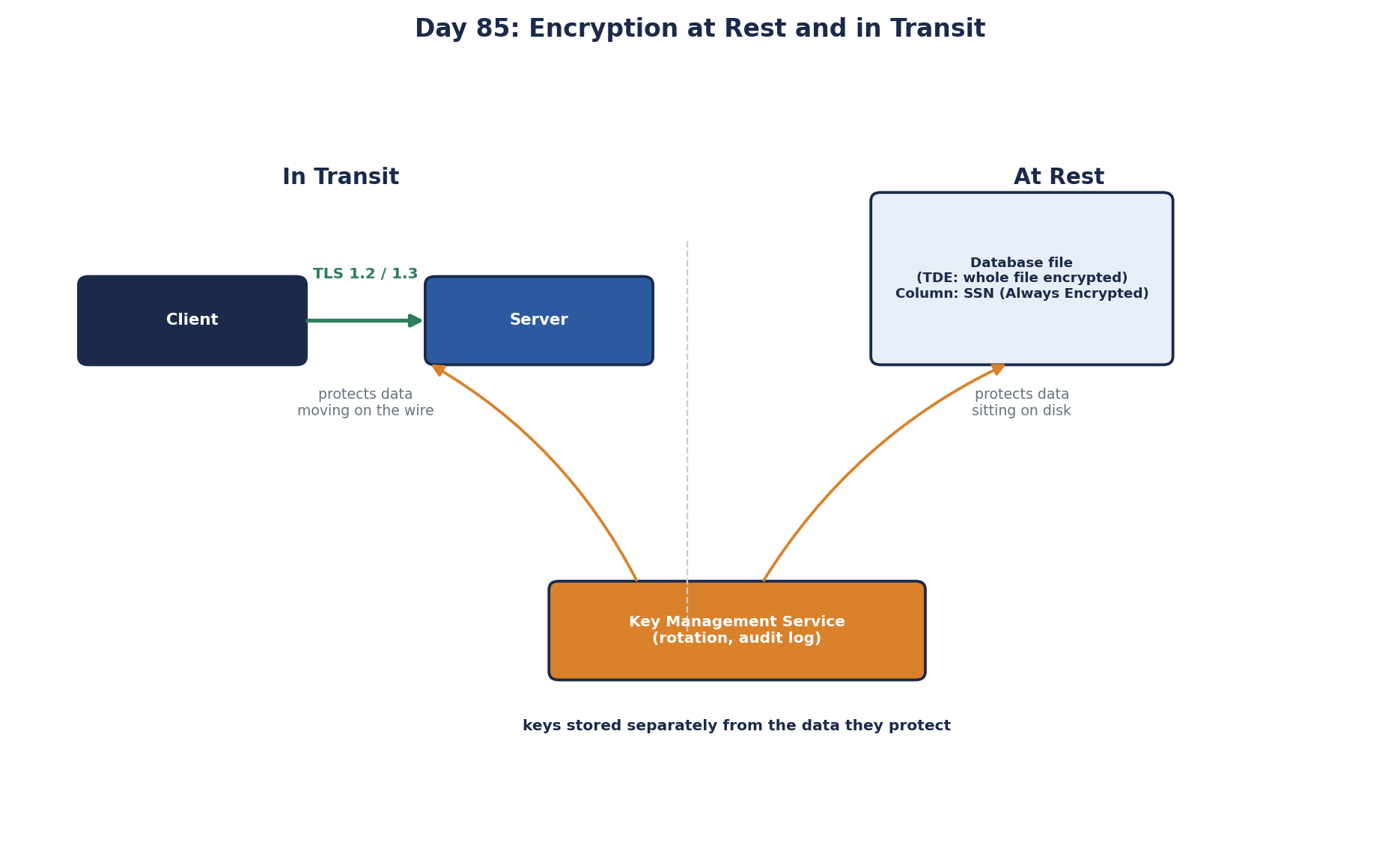
Encryption in transit: TLS everywhere
TLS uses public-key cryptography during the handshake to authenticate the server and agree on keys, then fast symmetric encryption (AES or ChaCha20) for the data. A baseline:
- HTTPS on every public endpoint, with HSTS so browsers never fall back to HTTP.
- TLS 1.2 minimum, TLS 1.3 preferred.
- Encryption on internal connections too: service to service (mTLS, Day 84), app to database, app to cache. Terminating TLS at the load balancer and sending plain HTTP inside is a common gap.
- Automated certificate renewal (Let's Encrypt, cloud certificate managers). Expired certificates are a classic cause of outages.
Encryption without certificate checking is only half of TLS. Microsoft.Data.SqlClient encrypts connections by default from version 4.0, and the common workaround when that breaks a connection, TrustServerCertificate=True, turns off verification of who you're talking to: traffic is encrypted, but to whoever answers. PostgreSQL clients built on libpq default to sslmode=prefer, which uses TLS when the server offers it and never verifies the certificate. Use verify-full (or Npgsql's equivalent setting) and give clients the CA certificate, so a man in the middle can't pose as the database.
Encryption at rest: disk, TDE and field-level
| Level | Example | Protects against | Doesn't protect against |
|---|---|---|---|
| Disk or volume | Cloud disk encryption, BitLocker, LUKS | Stolen or discarded disks | Anyone who can query the database |
| Database / file (TDE) | SQL Server and Oracle TDE, encrypted managed databases | Stolen data files and backups | Database users and admins, the app |
| Field / application level | Encrypting a column in the app, SQL Server Always Encrypted | Database admins, backups, SQL injection reading the column | Anyone holding the application's keys |
Cloud storage and managed databases encrypt at rest by default today, so disk-level protection is mostly free. Field-level encryption is what you add for the most sensitive fields (national ID numbers, bank details, health data), so they're unreadable even to people with database access. It has costs: encrypted columns can't be searched or sorted normally, and the application must handle keys.
For passwords, don't encrypt at all: hash them with a slow password hashing function (Argon2, bcrypt, PBKDF2), so even you can't recover them.
Key management decides everything
Encryption is only as strong as the protection of the keys. If the key sits in a config file next to the encrypted data, an attacker who gets one gets both.
- Store keys in a key management service (AWS KMS, Azure Key Vault, Google Cloud KMS) or a hardware security module.
- Use envelope encryption: data is encrypted with a data key, and the data key is encrypted with a master key that never leaves the KMS.
- Rotate keys on a schedule and when people leave.
- Log and restrict who and what can use each key.
- Know your recovery plan: losing a key means losing the data.
A useful side effect: deleting a person's data key makes their encrypted data unreadable everywhere, including backups. This crypto-shredding helps with deletion requests.
Check yourself
No. TDE decrypts transparently for any query the database runs. Field-level encryption with keys held by the application, plus fixing the injection, is needed.
Because the internal network isn't a safe place: an attacker who compromises one host, a misconfigured mirror port or a cloud networking mistake can read unencrypted internal traffic, including credentials. Zero trust assumes the network may be hostile, so TLS everywhere is the default, not just at the edge.
Server identity verification. Traffic stays encrypted, but the client will accept any certificate, so an attacker in the path can impersonate the database. Install a trusted certificate instead.
In a key management service or HSM, separate from the data, with access control, logging and rotation, never in config files or source code.
Disk encryption and TDE protect against stolen disks and backups, but the database decrypts data for anyone who can query it. Field-level encryption keeps specific columns, such as national ID numbers, encrypted even in query results, so only code holding the key can read them.