Cache Busting with Hashed Filenames
On this page
Learning Objective
Design an asset caching strategy where hashed, immutable files are cached for a year and HTML is revalidated, understand content hashing and cache busting, use ETags and conditional requests, keep chunk hashes stable across deploys and handle users on old versions when new deployments remove files.
Concept Explanation
The fastest request is the one that never happens. Browsers keep an HTTP cache, and with the right headers a returning visitor can load a page's scripts, styles, fonts and images without any network request at all. The challenge is that cached files must never be stale: if a user keeps last week's JavaScript after a deploy, the application breaks. Content hashing solves both problems together, which is why it is the foundation of frontend caching.
Build tools name each output file after a hash of its contents, such as app.4f9a2c.js. If the content changes, the hash and therefore the URL change; if the content stays the same, the URL stays the same. A URL thus identifies exact content forever, so it can be cached with Cache-Control: public, max-age=31536000, immutable. The immutable directive tells the browser not to revalidate even on reload. Changing the code automatically busts the cache, because the HTML now references a new URL. This is far better than query strings like app.js?v=42, which some caches ignore and which require manual version bumps.
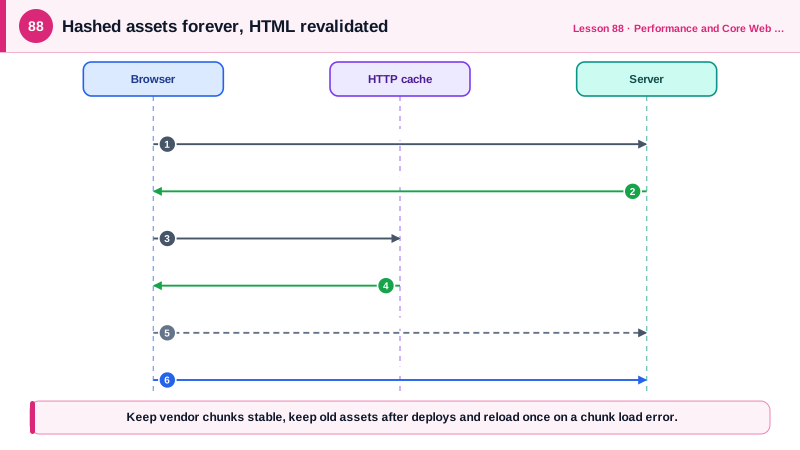
HTML is the exception, because its URL, such as /products/42, cannot change between deploys, and it contains the references to the current hashed assets. HTML should therefore be revalidated on each use, with Cache-Control: no-cache, which despite the name allows storing but requires checking with the server before reuse, or with a short CDN s-maxage and stale-while-revalidate as Day 78 described. Conditional requests make revalidation cheap: the server sends an ETag, a version identifier, and the browser sends it back in If-None-Match; if nothing changed, the server answers 304 Not Modified with no body.
Hash stability affects how much users redownload after each deploy. If one changed line in one component changes the hash of every chunk, users redownload the entire application each release. Good builds keep hashes stable for unchanged chunks: vendor libraries in their own chunks that change only when dependencies change, deterministic module ids and a small runtime or manifest chunk. Splitting rarely changing dependencies from frequently changing application code is a classic and effective optimization.
Deploys create a subtle failure mode. A user loads the HTML from version 1 and stays on the page; you deploy version 2 and delete version 1's files; the user navigates, and the client router requests a lazy chunk from version 1 that no longer exists, causing a chunk load error and a broken page. Defenses include keeping previous versions' assets available for some time after a deploy, which object storage and most platforms make easy, catching chunk load errors and reloading the page to pick up the new version, and checking a version endpoint periodically to prompt a refresh. Service workers (Day 70) need the same care. Compression also belongs in the strategy: serve text assets with Brotli or gzip, precompressed at build time for static files.
| Resource | Cache-Control | Reason |
|---|---|---|
| Hashed JS, CSS, fonts, images | public, max-age=31536000, immutable | URL changes when content changes |
| HTML documents | no-cache, with ETag | Always check for a new version |
| Public HTML at the CDN | s-maxage=60, stale-while-revalidate | Fast, near-fresh pages |
| API responses with private data | private, no-store | Never in shared caches |
| Unhashed files like favicon.ico | max-age=86400 | Moderate caching, no hash available |
| Service worker script | no-cache | Updates must be noticed |
Worked Example: Headers per File Type and a Chunk Load Recovery
The server configuration applies headers by path. The client recovers when a deploy has removed an old chunk the current page still needs.
# Hashed build output: cache forever
location /assets/ {
  add_header Cache-Control "public, max-age=31536000, immutable";
  gzip_static on;                                   # serve precompressed .gz files
  brotli_static on;                                 # and .br where supported
}

# HTML and the service worker: always revalidate (ETag on by default)
location / {
  add_header Cache-Control "no-cache";
  try_files $uri /index.html;                       # SPA deep link fallback
}
location = /sw.js { add_header Cache-Control "no-cache"; }// vite.config.ts: keep vendor code in a stable chunk so app changes do not bust it
export default defineConfig({
build: {
rollupOptions: {
output: {
manualChunks(id) {
if (id.includes('node_modules/react')) return 'react-vendor'; // changes only on upgrades
},
},
},
},
});
// Recover from a chunk deleted by a newer deploy
window.addEventListener('vite:preloadError', (event) => {
event.preventDefault();
const key = 'reloaded-for-chunk';
if (!sessionStorage.getItem(key)) { // avoid a reload loop
sessionStorage.setItem(key, '1');
location.reload(); // fetch the new HTML and new asset URLs
}
});Reload a page twice with the Network panel open: hashed assets show as served from the disk or memory cache with no request, while the HTML shows a 304 response. After a deploy that changes one component, only that component's chunk and the HTML are downloaded again.
Real-World Examples
- Facebook engineers measured in 2017 that a large share of their static resource requests were revalidations of files that had not changed, and worked with Chrome and Firefox on reload behavior and the Cache-Control immutable directive, which lets browsers skip those revalidations entirely for versioned URLs.
- Vite documents the vite:preloadError event specifically for the case where a deployment removes old assets while users still have the previous version open, recommending a page reload to recover, and hosting platforms such as Vercel and Netlify keep previous deployments' assets accessible to reduce these errors.
Review Questions & Answers
Its URL contains a hash of its content, so any change to the content produces a new URL. The file at a given URL never changes, which makes it safe to cache indefinitely; new code is picked up because the HTML references new URLs.
HTML URLs stay the same across deploys, and the HTML references the current hashed assets. If it were cached long term, users would keep loading old asset references and miss new releases. Revalidation with ETags keeps it current cheaply.
The response may be stored, but the cache must revalidate it with the server before each reuse. With an ETag, an unchanged resource returns a small 304 Not Modified response instead of the full body. no-store is the directive that forbids storing.
If the new deploy deletes the previous version's files, an open page that lazily loads one of its old chunks gets a 404 and fails. Keeping previous assets available for a while, catching chunk load errors and reloading to fetch the new version, and prompting users to refresh prevent the breakage.